 Skip to content
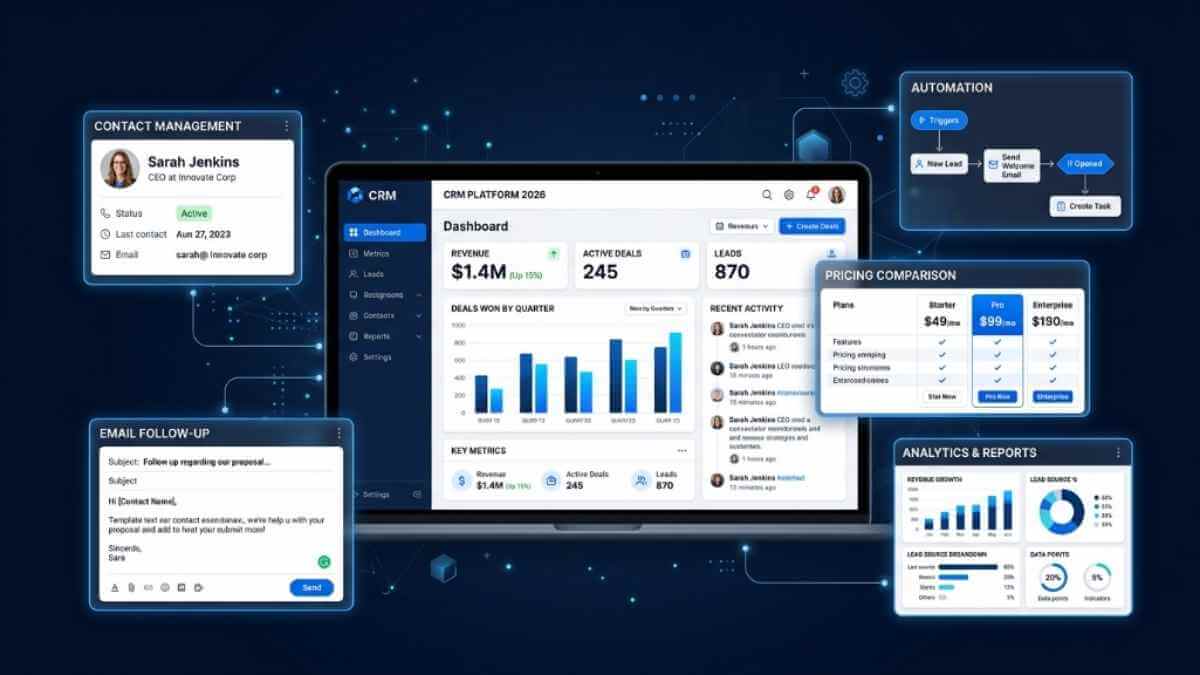
You lost a deal last month because a follow-up email fell through the cracks of your spreadsheet. It happens to every small business owner who hasn't yet switched to proper customer database software. The right tool stores every contact, tracks every interaction, and reminds you exactly when to reach out next. In this review, I've tested and compared 12 of the best options available in 2026, so you can stop guessing and start building the customer relationships that actually grow your business.
What Is the Best Customer Database Software in 2026?
The best customer database software for most small businesses is HubSpot CRM (best free option), Pipedrive (best for sales teams), and Zoho CRM (best value for budget buyers). For solo operators, Less Annoying CRM and Freshsales are the simplest entry points. Each tool below is matched to a specific use case so you can find your fit in under two minutes.
What Is Customer Database Software?
Customer database software is a system that stores, organises, and retrieves customer records in a centralised location. Unlike a spreadsheet, it automatically tracks customer interactions, purchase history, and follow-up tasks.
Most people use the terms "CRM" and "customer database" interchangeably, but they're not the same thing. A customer database stores contact information. A CRM adds sales pipeline management, workflow automation, and email marketing on top of that foundation.
Here's the thing: for most US small businesses, a modern CRM is the best customer database you can buy. You get organised customer records plus the automation and lead scoring your team needs to close deals faster.
How Do the Top 12 Customer Database Software Tools Compare?
Before diving into individual reviews, here's how the best customer database software options stack up across the metrics that matter most to small business owners: free plan availability, starting price, and AI features.
| Tool | Best For | Free Plan | Starting Price | AI Features |
|---|---|---|---|---|
| HubSpot CRM | Marketing teams | Yes (generous) | $15/user/mo | Yes (Breeze AI) |
| Salesforce | Enterprise orgs | No (30-day trial) | $25/user/mo | Yes (Einstein) |
| Zoho CRM | Budget buyers | Yes (3 users) | $14/user/mo | Yes (Zia) |
| Bitrix24 | Free all-in-one | Yes (unlimited) | Free forever | Limited |
| Pipedrive | B2B sales teams | No (14-day trial) | $14/user/mo | Yes (AI Assist) |
| Freshsales | Simple AI entry | Yes | $9/user/mo | Yes (Freddy AI) |
| monday CRM | Visual teams | No (14-day trial) | $15/seat/mo | Limited |
| Zendesk Sell | Support-led biz | No (14-day trial) | $19/agent/mo | Yes (AI Agents) |
| Airtable | Spreadsheet fans | Yes (1K records) | $20/seat/mo | Yes (2024 AI) |
| Less Annoying CRM | Solo operators | No (30-day trial) | $15/user/mo flat | No |
| ClickUp | All-in-one teams | Yes | $7/user/mo | Yes (Brain AI) |
| BIGContacts | Budget contact mgmt | Trial only | $5/user/mo | No |
Which Customer Database Software Is Best for Your Business Type?
Not every tool fits every business. Here's the fastest way to match yourself to the right platform before reading the full reviews.
- Freelancers and solopreneurs: Less Annoying CRM or Freshsales free plan. No complexity, no per-seat tricks.
- Service businesses (cleaning, landscaping, contractors): Bitrix24 free plan or HubSpot free. Both handle contact management and follow-up scheduling. Our full review of CRM software for construction covers field service businesses in detail.
- B2B sales teams: Pipedrive or Salesforce. Visual sales pipeline and deal tracking are non-negotiable for B2B.
- E-commerce businesses: HubSpot or Zoho CRM. Both connect natively with Shopify and WooCommerce for customer interaction tracking.
- Spreadsheet refugees: Airtable. It looks and feels like a spreadsheet but gives you relational database power underneath.
What Are the Best Free Customer Database Software Options?
Three tools offer genuinely free plans worth using as your primary customer database software. The rest are trials designed to funnel you into paid plans.
- HubSpot CRM: Unlimited contacts, deal tracking, email integration, and live chat. No time limit. The most generous free CRM in 2026.
- Bitrix24: Unlimited users and unlimited customer records on the free plan. Includes built-in telephony and project management at no cost.
- Freshsales: Up to 3 users, built-in phone calls, email logging, and Freddy AI lead scoring on the free tier.
The free plan trap: Zoho CRM's free plan caps you at 3 users and 5,000 records. You'll hit that wall within weeks of active use. HubSpot's free plan is legitimately usable long-term. And if you need email marketing to go alongside your customer database, our Mailchimp alternatives guide shows which free tools pair best with a free CRM.
Reviews of the 12 Best Customer Database Software Tools in 2026
1. HubSpot CRM
HubSpot is the most complete free customer database software available in 2026, and the only one that genuinely replaces a paid tool for small teams. Its 2025 Breeze AI launch added generative content, predictive deal scoring, and conversation intelligence across every Hub. The onboarding trap nobody mentions: Sales Hub Professional buyers face a mandatory $3,000 onboarding fee that doesn't appear on the main pricing page.
Best for: Marketing-led small businesses and teams that need a free, scalable CRM with built-in email marketing.
Key Features
- Breeze AI: Generates email copy, call summaries, and deal next-steps using conversational AI. No other tool at this price tier matches the depth of native AI integration.
- 15 million contact records: Paid plans support more customer data volume than any mid-market competitor. You'll never need to archive contacts as your business scales.
- Unified Hub ecosystem: Marketing, Sales, Service, and Operations Hubs share a single customer profile. Customer interactions logged in any Hub are immediately visible across all other Hubs.
Pricing
| Free trial | No trial needed, free plan available forever |
| Free plan | Yes: unlimited users, unlimited contacts, deal tracking, email marketing |
| Paid plans | Starter from $15/seat/month | Professional from $90/seat/month | Enterprise from $150/seat/month |
| Hidden cost | Sales Hub Professional requires a $3,000 onboarding fee (not shown on pricing page) |
Pros
- The most generous free plan in the industry is genuinely usable without upgrading.
- Breeze AI handles content, deal scoring, and call intelligence at no extra cost on the pro tier.
- Native integrations with Shopify, Salesforce, Gmail, and 1,500+ other tools
Cons
- Pricing jumps aggressively from Starter ($15) to Professional ($90) per user per month.h
- Mandatory $3,000 onboarding fee at the Professional tier catches first-time buyers off guard.
2. Salesforce
Salesforce owns roughly 20% of the global CRM market, but that dominance was built on enterprise contracts, not small business adoption. Its Einstein AI is the most mature predictive analytics engine in the category, capable of forecasting deal close probabilities, identifying at-risk accounts, and suggesting next actions based on historical patterns. The reality for small businesses: you'll need a dedicated admin to configure it, or you'll spend months fighting the platform instead of selling.
Best for: Organizations with 50+ users, complex multi-department workflows, and a dedicated Salesforce administrator.
Key Features
- Einstein AI: Predictive lead scoring, opportunity insights, and automated activity capture. The only AI engine in this list is trained on data from 150,000+ businesses.
- AppExchange: 7,000+ third-party integrations. If a tool exists in your stack, Salesforce connects to it natively.
- Salesforce Data Cloud: Unifies customer data from every source into a single real-time profile. Enterprise-grade capability unavailable in any other mid-market tool.
Pricing
| Free trial | 30 days |
| Starter Suite | $25/user/month (billed annually) |
| Pro Suite | $100/user/month |
| Enterprise | $165/user/month |
| Note | Implementation costs for SMBs typically run $5,000 to $30,000+, depending on complexity.y |
Pros
- Einstein AI is the most mature and proven AI in any CRM on this list
- AppExchange connects to virtually every business tool in existence
- Scales from 5 users to 500,000 without changing platforms
Cons
- Requires a dedicated admin; small teams without IT support waste months in setup
- Stock ticker is literally 'CRM,' yet it consistently loses SMB buyers to HubSpot and Pipedrive on ease of use.
3. Zoho CRM
Zoho CRM offers enterprise-level features at mid-market prices, and the pricing stays honest because the company is 88% owned by its founder with no investor pressure. Its Canvas feature lets non-technical users redesign the entire CRM interface using a drag-and-drop editor, which is something no other tool in this list offers at this price point.
Best for: Budget-focused teams wanting advanced automation and omnichannel customer engagement without Salesforce's complexity or HubSpot's price jump.
Key Features
- Zia AI: Predictive lead scoring, voice command queries, and anomaly detection in your sales data. Available from the Enterprise tier ($40/user/month).
- Canvas: No-code UI redesign tool that lets your team rebuild the CRM layout to match your workflow without touching a line of code.
- 45+ native Zoho apps: Connects to Zoho Books, Zoho Projects, Zoho Desk, and 40+ other apps in the Zoho ecosystem, creating the broadest same-vendor integration suite in this review.
Pricing
| Free plan | Up to 3 users, 5,000 records evaluation only, not viable long-term |
| Standard | $14/user/month (billed annually) |
| Professional | $23/user/month |
| Enterprise | $40/user/month (Zia AI included) |
| Ultimate | $52/user/month (Zoho Analytics included) |
Pros
- Best price-to-feature ratio in the mid-market CRM category
- The Canvas feature lets any user redesign the interface without developer help
- 45+ native integrations within the Zoho ecosystem eliminate third-party app costs
Cons
- The interface feels dated compared to HubSpot and Pipedrive, which bury key settings 3+ clicks deep.
- The 5,000-record cap on the free plan is hit within weeks for any active business. It's a trial, not a real free tier.
4. Bitrix24
Bitrix24 is the only tool on this list that gives you genuinely unlimited users, unlimited customer records, and built-in telephony on a free plan. The CRM includes a full online store builder, product catalogue, and order management at no cost, making it the go-to option for small e-commerce businesses not ready to pay for Shopify's CRM integrations.
Best for: Small businesses that need a free all-in-one platform covering CRM, project management, telephony, and HR tools without paying per seat.
Key Features
- Free telephony: Built-in call centre with call recording and IVR on the free plan. No third-party integration required. Every other tool on this list charges extra for phone capabilities.
- E-commerce CRM: Online store builder, product catalogue, and order management module included free. Unique in this price category.
- Unlimited sales pipelines: No cap on pipeline views, deal stages, or custom automations on any plan. Competitors charge for extra pipelines at higher tiers.
Pricing
| Free plan | Unlimited users, unlimited records genuinely usable, not a teaser |
| Basic | $61/month for 5 users (billed annually) |
| Standard | $124/month for 50 users |
| Professional | $249/month for 100 users |
| Enterprise | $399/month for 250 users |
Pros
- Truly unlimited free plan, no record caps, no user limits, no feature lockouts
- Built-in telephony and e-commerce features are included at no extra cost
- 86% of users rate Bitrix24 task management positively with a 4.3/5 average G2 score
Cons
- Steep learning curve, the interface is overwhelming for first-time CRM users.
- Performance degrades with large databases and heavy concurrent usage, per multiple G2 reports.
5. Pipedrive
Pipedrive was built by salespeople frustrated with Salesforce, and that origin story is still evident in every design decision. Its activity-based selling methodology prioritises next actions over deal stages, so your team always knows what to do rather than just where a deal sits in the pipeline. Link to official site: Pipedrive.com.
Best for: B2B sales teams that live inside their sales pipeline and want a visual, intuitive deal management system without CRM complexity.
Key Features
- Visual pipeline: Drag-and-drop deal cards with colour-coded stages. One screen gives your entire team a full view of every active opportunity.
- Activity-based selling: The platform prioritises next actions over deal stages. Reduces pipeline stall by keeping every rep focused on what to do today, not just where a deal sits.
- AI Sales Assistant: Deal summaries, win-probability scores, and next-step suggestions are included in the Professional tier at no additional cost.
Pricing
| Free plan | No — 14-day free trial only |
| Essential | $14/user/month (billed annually) |
| Advanced | $29/user/month |
| Professional | $59/user/month |
| Enterprise | $99/user/month |
| Add-on cost | Email Campaigns and Projects add-ons stack on top of plan pricing |
Pros
- Cleanest visual sales pipeline UX in the mid-market category, consistently the top-rated interface by sales reps
- Activity-based methodology reduces deal stalls better than stage-based CRMs
- AI Sales Assistant is included in the Professional tier at no additional cost.
Cons
- No free plan is an immediate dealbreaker for businesses that aren't yet generating revenue.
- Marketing automation (Campaigns) and Projects are separate paid add-ons that stack quickly on per-seat pricing.
6. Freshsales
Freshsales is consistently overlooked in best-of lists because its parent company, Freshworks, also sells to enterprise buyers. But the Growth plan at $9/user/month, with Freddy AI built in, is arguably the best-value paid-customer database software for very small teams in 2026. Its 21-day free trial is longer than most competitors, giving you real time to evaluate before committing.
Best for: Small businesses that want AI-powered sales tools at an entry-level price without a steep learning curve or feature bloat.
Key Features
- Freddy AI: Lead scoring based on intent and sentiment analysis, plus deal outcome predictions. Available from the Growth plan. HubSpot charges $90/user/month for comparable AI features.
- Native omnichannel: Phone, email, SMS, and WhatsApp communication built into the CRM. No third-party integrations required for multi-channel outreach.
- 21-day free trial: Longer than any other paid tool in this list. Enough time to test automations, import customer data, and run your first email campaign before deciding.
Pricing
| Free plan | Yes, up to 3 users with built-in phone and email logging |
| Growth | $9/user/month (billed annually) includes Freddy AI |
| Pro | $39/user/month |
| Enterprise | $59/user/month |
| Free trial | 21 days — longest in this review |
Pros
- Freddy AI at $9/user/month is the best-value AI in any CRM in this review
- Native WhatsApp and SMS integration without paying for an add-on
- 21-day trial gives small business owners more evaluation time than competitors offer
Cons
- Custom field flexibility is limited on lower tiers compared to Zoho and HubSpot.
- Email deliverability issues have been flagged in user reviews ahave nd gone unresolved for extended periods.
7. Monday CRM
Monday CRM is a separate, dedicated product from the monday.com work management platform, and this distinction matters. You're not getting a project board with CRM fields bolted on. You're getting a fully built sales CRM with customizable board views, automation, and AI. Marketing and creative teams consistently rate it the most visually intuitive CRM available.
Best for: Marketing and creative teams that think visually and want pipeline management that resembles a workboard rather than a traditional contact management interface.
Key Features
- 6 view types: Kanban, table, calendar, map, Gantt, and timeline views for your customer database with no coding. More view flexibility than any dedicated CRM in this list.
- Visual automation builder: Drag-and-drop logic blocks let non-technical users build multi-step workflow automation without needing to understand conditional logic syntax.
- Monday Work OS integration: Customer data, project delivery, and HR workflows are on the same platform. Zero context switching between client communication and project delivery.
Pricing
| Free plan | No — 14-day free trial only |
| Basic CRM | $15/seat/month (3-seat minimum, billed annually) |
| Standard | $20/seat/month |
| Pro | $33/seat/month |
| Enterprise | Custom pricing |
| Note | 3-seat minimum means solo founders pay for a seat they don't use |
Pros
- The most visually customizable CRM in this review has six different board views for your data
- No-code automation builder is genuinely the easiest to use in this category
- Native integration with monday Work OS eliminates app-switching between CRM and project management
Cons
- 3-seat minimum forces solo founders and 2-person teams to pay for unused seats
- Sales forecasting and advanced reporting lag significantly behind HubSpot and Salesforce
8. Zendesk Sell
Zendesk Sell is the CRM for businesses where customer support is the primary growth driver, not outbound sales. It's a 1,700-app marketplace that connects sales and support data into a single workspace, giving agents a complete customer view that includes every open ticket, past purchases, and previous conversations before they pick up the phone.
Best for: Support-heavy businesses that need CRM and customer service in one connected platform where sales and support teams share the same customer data.
Key Features
- Unified customer view: CRM data and support ticket history in one workspace. Agents see every customer interaction across email, chat, voice, and social without switching tools.
- Zendesk QA + Workforce Management: AI-powered quality assurance grades support interactions and flag coaching opportunities automatically. Unique in this CRM category.
- Omnichannel reporting: Historical and real-time data across every customer communication channel in one dashboard. Provides the customer insights that pure sales CRMs can't generate.
Pricing
| Free plan | No — 14-day free trial |
| Sell Team | $19/agent/month (billed annually) |
| Sell Growth | $55/agent/month |
| Sell Professional | $115/agent/month |
| Note | Primarily a support platform — pure sales pipeline features are less intuitive than Pipedrive. |
Pros
- Best tool for businesses where support quality drives customer retention and revenue
- 1,700+ marketplace apps for deep customisation of support and sales workflows
- AI Agents are described as the most autonomous customer-facing bots in the industry
Cons
- Sales pipeline features feel secondary to the support toolset and are not ideal for outbound-first sales teams.
- Starting at $19/agent/month with no free plan, it's the least cost-effective entry point in this review.
9. Airtable
Airtable is the ideal transition tool for teams leaving Google Sheets who aren't ready for a full CRM. Its relational database architecture lets you link customer records to orders, projects, and invoices without writing SQL. The 2024 Airtable AI launch added field summaries, auto-categorisation, and text generation directly inside database records.
Best for: Spreadsheet-first teams that want relational database power to manage customer data without learning traditional CRM software or changing how they work.
Key Features
- Relational database in a spreadsheet UI: Link customer records to orders, projects, and invoices with no SQL required, and a more flexible data architecture than any CRM on this list.
- Airtable AI (2024): Generates field summaries, auto-categorises records, and creates text from templates directly inside the database. Real AI utility, not a chatbot bolted on.
- Unlimited custom field types: Attachments, barcodes, ratings, formula fields, linked records, and rollup fields—more field variety than any traditional CRM database.
Pricing
| Free plan | Up to 5 users, 1,000 records per base — limited but usable for very small contact lists |
| Team | $20/seat/month (billed annually) |
| Business | $45/seat/month |
| Enterprise | Custom pricing |
| Note | The 1,000-record limit on the free plan is hit within weeks of active customer data entry. |
Pros
- Relational database architecture gives more data flexibility than any dedicated CRM.
- Genuinely easy for spreadsheet users, zero learning curve for Excel or Google Sheets users
- Airtable AI adds real summarisation and categorisation without needing a separate AI tool.
Cons
- Not a CRM in the traditional sense lacks native deal pipeline, activity tracking, and email integration for sales teams
- Free plan 1,000 record limit per base is hit within weeks for any business with active customer records
10. Less Annoying CRM
The name is accurate. Less Annoying CRM is deliberately simple, and that's the whole product philosophy. For solo founders and teams under 10 people who are overwhelmed by HubSpot or Salesforce, it delivers the complete basics of contact management and follow-up tracking at a single flat rate with no feature gating.
Best for: Solopreneurs and very small teams under 10 people who want the simplest possible contact management with US-based live phone support and no pricing surprises.
Key Features
- US-based live phone support: Real humans during business hours. The only tool in this entire review that leads with live phone support as a primary differentiator over AI features.
- Single flat price: $15/user/month with no feature tiers, no annual commitment, and no add-ons. Everything is included for every user. Rare in this market.
- Built-in calendar and task manager: Follow-up reminders, overdue task alerts, and meeting scheduling are built in with no third-party integration required.
Pricing
| Free plan | No 30-day free trial (no credit card required) |
| Price | $15/user/month — flat rate, no tiers, no annual commitment required |
| Includes | Unlimited contacts, unlimited pipelines, unlimited storage — everything |
| Free trial | 30 days, no credit card required |
Pros
- $15/month flat rate with no feature gating is the most transparent pricing model in this review
- 30-day free trial with no credit card, the most risk-free evaluation in the category
- US-based live phone support during business hours is unavailable from any other tool at this price
Cons
- Extremely limited workflow automation, no conditional logic, drip sequences, or automated lead assignment
- No AI features at all, a notable gap in 2026 for a paid product at this price point.
11. ClickUp
ClickUp positions itself as the one app to replace them all, and for teams currently using 4 to 6 separate SaaS tools, it comes remarkably close. Its CRM module, task management, document creation, and time tracking all share the same workspace, so customer records connect directly to project delivery timelines. ClickUp Brain, launched in 2023, generates task summaries, drafts briefs, and answers questions about your own workspace data.
Best for: Teams that want to consolidate CRM, project management, task tracking, and internal documentation into a single workspace without having to buy multiple subscriptions.
Key Features
- ClickUp Brain: Summarises tasks, drafts briefs, and answers questions about your own workspace data using generative AI. Unique in that it reads from your actual project and customer data.
- 8+ view types: List, Board, Calendar, Table, Gantt, Map, Workload, and Timeline views for customer and project data. More display options than any dedicated CRM on this list.
- Native Docs: Create customer proposals, team SOPs, and internal wikis alongside customer records without leaving the platform. Eliminates Notion or Confluence as separate subscriptions.
Pricing
| Free plan | Yes, unlimited tasks, limited advanced features |
| Unlimited | $7/user/month (billed annually) |
| Business | $12/user/month |
| Enterprise | Custom pricing |
| Note | CRM features require manual setup — not a plug-and-play sales pipeline |
Pros
- $7/user/month for CRM plus project management plus Docs is the best multi-tool value in this review
- ClickUp Brain reads your actual workspace data — more useful than generic AI chatbots
- 8+ view types give teams more ways to visualise customer data than any dedicated CRM
Cons
- Not a purpose-built CRM, sales-specific features like email sequences and deal probability require significant manual setup.
- Feature overload leads to decision fatigue. New users frequently get lost before building their first useful workflow.
12. BIGContacts
BIGContacts is the most underrated option in this review at $5/user/month for its Big plan. It's a 360-degree customer timeline that surfaces contact history, scheduled tasks, email logs, and notes in chronological order in a format that's actually easier to read than HubSpot's contact record. It includes email marketing with list segmentation at a price point where competitors charge add-on fees.
Best for: Small businesses and nonprofits that need clean contact management, follow-up tracking, and basic email marketing without paying for CRM features they'll never use.
Key Features
- 360-degree customer timeline: Every interaction, task, note, email, and file in one chronological view per contact. More readable than HubSpot's contact record for non-technical teams.
- Built-in email marketing: List segmentation and email campaigns included from the Bigger tier ($15/month). If you want a deeper guide on strategy, our email marketing for small businesses guide covers which tools pair best with contact managers like BIGContacts.
- Overdue task alerts: Relationship-based follow-up reminders designed for businesses that grow on repeat customers and referrals, not pipeline velocity.
Pricing
| Free plan | No free trial available |
| Big | $5/user/month (billed annually) basic contact management |
| Bigger | $15/user/month includes email marketing |
| Biggest | $25/user/month full feature set |
| Enterprise | Custom pricing |
Pros
- $5/user/month is the lowest entry price for a viable contact management tool in this review
- Email marketing with list segmentation includes no add-on required at the Bigger tier
- The 360-degree timeline view is easier to read than any other contact record in this review
Cons
- Limited third-party integrations connecting to e-commerce or advanced marketing tools require Zapier.
- No AI features at any tier, the gap is visible at higher paid plans
How Do You Choose the Right Customer Database Software?
Picking the right customer database software comes down to five questions. Let me be direct about what each one means in practice.
- What is your budget, including hidden costs? HubSpot and Bitrix24 for free. Freshsales at $9/user/month for the best-value paid entry. Avoid Salesforce if your annual revenue is below $50K unless you have a dedicated admin.
- How many users need access? Solo to 3 users: Less Annoying CRM or Freshsales is free. 4 to 20 users: HubSpot or Zoho CRM. 20+: Salesforce or HubSpot Professional. Bitrix24 is the only truly unlimited option, regardless of user count.
- Do you need AI features in 2026? HubSpot (Breeze), Salesforce (Einstein), Zoho (Zia), and Freshsales (Freddy) all have real AI. Monday and ClickUp have limited AI capabilities. Less Annoying CRM has none.
- How important is mobile access? Pipedrive, HubSpot, and Freshsales have the highest-rated mobile CRM apps in 2026. Bitrix24's mobile app is functional but has been reported to have glitches. Less Annoying CRM's mobile experience is minimal.
- What does it need to integrate with? HubSpot leads on native integrations. Salesforce wins on AppExchange depth. Zoho CRM wins on same-vendor integrations. For mortgage or financial services use cases, check our mortgage CRM software guide for industry-specific integration requirements.
Frequently Asked Questions About Customer Database Software
What is a customer database in software?
A customer database in software is a structured system that stores and organizes customer information, including contact details, purchase history, and communication logs, in one place. Unlike a spreadsheet, it lets multiple users access and update customer records simultaneously while automatically tracking every interaction.
What is the best free customer database software?
The best free options in 2026 are HubSpot CRM (unlimited contacts, no time limit), Bitrix24 (unlimited users and records), and Freshsales (3 users with AI included). HubSpot's free plan is the most genuinely useful for small businesses and doesn't push you to upgrade through feature lockouts.
Is CRM the same as customer database software?
A CRM is a customer database plus sales pipeline, marketing automation, and workflow tools built on top. A plain customer database just stores contact records. Most tools marketed as customer database software are actually full CRM platforms because more capable CRM products have replaced standalone database tools at the same price point.
How do I create a customer database for my small business?
Start with HubSpot CRM free: create an account, define your contact fields (name, email, company, lead source), import existing contacts via CSV, set up one follow-up sequence, and train your team in a single afternoon. Total setup time: 2 to 4 hours. The biggest mistake is overbuilding fields before you know what data you'll actually use.
What should a customer database include?
Core fields: name, email, phone, company, purchase history, communication log, lead source, and customer lifetime value. Advanced fields for growing teams: behavioural tags, NPS score, support ticket history, preferred contact method, and deal close probability. Start with the core fields and add advanced fields only when your team asks for them.
How much does customer database software cost?
Free options include HubSpot, Bitrix24, and Freshsales (3 users). Paid plans range from $5/user/month (BIGContacts) to $165/user/month (Salesforce Enterprise). Most customer database software for small businesses costs between $9 and $40 per user per month for a fully featured solution that includes workflow automation and sales pipeline tracking.
What is the easiest customer database software to use?
Less Annoying CRM and Freshsales consistently rank highest for ease of use among small business owners. HubSpot is the easiest scalable option once your team exceeds 5 people. Airtable is the easiest for teams who already live in spreadsheets and don't want to change their workflow.
What is the difference between client database software and CRM?
Client database software stores contact records. CRM software manages the full customer relationship: contact storage, sales pipeline, email integration, workflow automation, and analytics. In 2026, the distinction is mostly semantic, since the best client database software options are all full CRM platforms with database capabilities built in.
For more detailed reporting tools that complement your customer database, see our full guide on client reporting software.


