Skip to content

Choosing the right financial services CRM software can mean the difference between a clean regulatory audit and a $47,000 fine. In 2026, with the Reg S-P compliance deadline for smaller firms approaching on June 3, 2026, your CRM must do more than manage contacts—it must actively support data encryption, access logging, and breach notification. Whether you’re a solo RIA, an insurance agent, a mortgage broker, or a bookkeeper, this guide evaluates 10 tools against the real-world demands of US financial businesses. After testing each platform on compliance depth, advisor-specific features, integrations, setup speed, and pricing, here are the best picks for 2026.
What Makes a CRM ‘Financial Services–Specific’?
A general CRM can track leads and send emails, but a financial services CRM adds layers that matter under regulation. The core differences include:
- Compliance logging and archiving – Automatically records client communications (emails, texts, notes) to meet FINRA Rule 17a‑4 and SEC retention requirements.
- Custodian integrations – Direct sync with Schwab, Fidelity, Pershing, and TD Ameritrade so advisor workflows don’t rely on manual data entry.
- KYC/AML workflow automation – Prebuilt templates for know‑your‑client and anti‑money‑laundering checks, common in banking and lending CRMs.
- Reg S‑P data protection – Built‑in encryption, role‑based access, and incident‑response workflows that satisfy the amended regulation’s written‑policy mandate.
If your firm is under FINRA or SEC oversight, using a general CRM without these features is like building a house on rented land—you’re responsible for the compliance structure but own none of the foundation.
General CRM vs. Financial Services CRM: When Can You Use a General Tool?
General CRMs like HubSpot, Zoho, and Capsule work well for unregulated financial roles: bookkeepers, financial coaches, independent consultants, and mortgage lead nurturers who aren’t subject to FINRA or SEC supervision. However, if you hold an RIA, broker‑dealer, or insurance license, you need either a purpose‑built platform or a general CRM configured with compliance add‑ons. The cost of getting this wrong—a failed exam, a fine, or a client data breach—far exceeds the price of the right software.
Best Financial Services CRM Software in 2026 – Full Comparison
| Tool | Best For | Starting Price (per user/mo) | Free Plan | FINRA/SEC Ready | Custodian Integrations | AI Features | Rating |
|---|---|---|---|---|---|---|---|
| HubSpot CRM | Non‑regulated financial SMBs | Free / $15 | ✅ 1M contacts | ⚠️ Add‑on required | ❌ | Breeze AI | ⭐⭐⭐⭐½ |
| Salesforce FSC | Enterprise banks & wealth firms | ~$300 | ❌ | ✅ Deep | ✅ | Einstein AI | ⭐⭐⭐⭐⭐ |
| Wealthbox | Independent RIAs & advisors | ~$45 | ❌ (30‑day trial) | ✅ FINRA‑ready | ✅ Native | Limited | ⭐⭐⭐⭐⭐ |
| Redtail CRM | Established compliance‑heavy firms | ~$39 | ❌ | ✅ FINRA‑ready | ✅ Native | Limited | ⭐⭐⭐⭐½ |
| Zoho CRM | Accountants, bookkeepers, mortgage pros | Free / $14 | ✅ 3 users | ⚠️ Configurable | Partial | Zia AI | ⭐⭐⭐⭐½ |
| Creatio CRM | Complex KYC/AML onboarding | ~$25–$85 | ❌ | ✅ KYC/AML templates | Partial | AI scoring | ⭐⭐⭐⭐ |
| Microsoft Dynamics 365 | Firms already on Microsoft 365 | ~$65–$135 | ❌ | ✅ Strong | Partial | Sales Insights | ⭐⭐⭐⭐ |
| Capsule CRM | Solo consultants & bookkeepers | Free / $18 | ✅ 2 users | ❌ Basic | ❌ | Limited | ⭐⭐⭐⭐ |
| SmartOffice | Hybrid insurance + securities agents | Contact for pricing | ❌ | ✅ Insurance & FINRA | Insurance carriers | Limited | ⭐⭐⭐⭐ |
| Maximizer CRM | Growing advisory teams (3–20) | ~$65 | ❌ | ✅ Audit trail | Partial | Limited | ⭐⭐⭐⭐ |
Detailed Reviews of the Top 10 Financial Services CRMs
1. HubSpot CRM – Best Free Option for Non‑Regulated Businesses
Verdict: HubSpot’s free plan is unmatched for financial professionals who don’t need FINRA‑grade archiving. Bookkeepers, mortgage loan officers, and insurance agents will find the pipeline tools, email tracking, and 1‑million‑contact limit more than enough to start.
Key Features:
- Sensitive Data properties with extra encryption for SSNs, policy numbers, and account details.
- Breeze AI for drafting emails, summarizing meetings, and scoring deals (included on paid tiers).
- Robust pipeline management and task automation, all on the free tier.
Trade‑offs: No native custodian integrations – if you’re an RIA, you’ll need third‑party connectors. Compliance archiving requires a paid add‑on. Advanced automation lives on the Professional plan ($90/user/mo).
Best for: Solo consultants, bookkeepers, mortgage lead nurturing.
Rating: ⭐⭐⭐⭐½ (4.7/5)
2. Salesforce Financial Services Cloud – Enterprise‑Grade Compliance and Analytics
Verdict: Salesforce FSC is the most powerful financial services CRM on the market. Its household data model, Einstein AI, and KYC/AML workflows make it the go‑to for banks, credit unions, and multi‑advisor wealth management firms.
Key Features:
- Household data model that tracks family relationships, shared accounts, and beneficiaries.
- Einstein AI predictive analytics, anomaly detection, and lead scoring.
- Comprehensive FINRA/SEC compliance tools with communication supervision.
Trade‑offs: Pricing starts at ~$300/user/mo – prohibitive for solo practitioners. Implementation often takes weeks, and you’ll likely need a certified consultant. The feature density can overwhelm small teams.
Best for: Banks, credit unions, complex multi‑advisor practices. See our comprehensive guide to wealth management CRMs for more context.
Rating: ⭐⭐⭐⭐⭐ (4.9/5)
3. Wealthbox – Top Pick for Independent RIAs and Advisors
Verdict: Wealthbox is the tool I recommend first to most independent advisors. It was purpose‑built for the advisory space, offers native custodian integrations (Schwab, Fidelity, Pershing), and has a clean, modern interface that teams actually want to use.
Key Features:
- FINRA‑ready communication archiving and audit trails.
- Advisor‑specific workflows: annual review cycles, financial plan tracking, household grouping.
- Fast setup – typically 2–3 hours to go live with data migration.
- Full‑featured mobile app for on‑the‑go client lookups.
Trade‑offs: No free plan – you’re committing to ~$45/user/mo from day one. Compliance archiving depth is slightly less than Redtail’s for complex broker‑dealer setups.
Best for: Independent RIAs, small advisory firms (1–10 advisors).
Rating: ⭐⭐⭐⭐⭐ (4.8/5)
4. Redtail CRM – Unmatched Compliance Track Record
Verdict: Redtail has been the industry standard since 2003. Its deep FINRA compliance archiving, seminar tracking, and integration with planning tools like MoneyGuidePro make it the safest choice for firms that regulators already know and trust.
Key Features:
- Automated archiving built for FINRA supervision requirements.
- Over 100 integrations, including eMoney and Redtail Imaging for document storage.
- Per‑database pricing – small teams often pay less than per‑user competitors.
Trade‑offs: The UI feels dated, and new users face a steeper learning curve than with Wealthbox. The mobile app is functional but not polished.
Best for: Established RIAs, compliance‑heavy advisory firms, broker‑dealer networks. Read our detailed Redtail CRM review for an in‑depth look.
Rating: ⭐⭐⭐⭐½ (4.6/5)
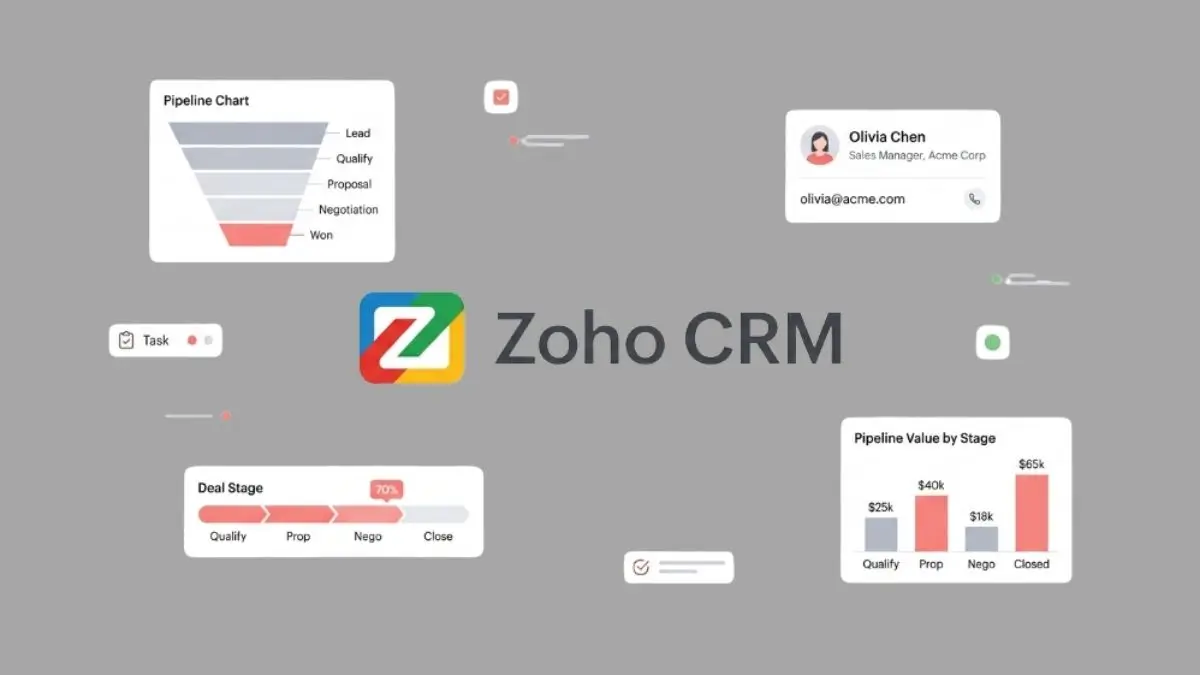
5. Zoho CRM – Best Affordable All‑Rounder for Small Financial Businesses
Verdict: Zoho CRM delivers the best value for non‑regulated financial businesses. Its free plan covers three users, and Zia AI lets you query your client database in natural language (“show clients with AUM over $500k”).
Key Features:
- Custom fields for AUM, risk tolerance, account type, policy numbers.
- 500+ integrations, including native QuickBooks and Xero connections.
- Canvas design studio for custom record layouts.
Trade‑offs: Not purpose‑built for FINRA – you must configure data retention and access controls manually. No native custodian integrations for advisors.
Best for: Bookkeepers, accounting consultants, mortgage leads, insurance agents.
Rating: ⭐⭐⭐⭐½ (4.5/5)
6. Creatio CRM – No‑Code Workflow Automation for KYC/AML
Verdict: Creatio combines CRM and business‑process management into one platform. Its prebuilt KYC/AML templates allow banks, lenders, and insurers to automate client onboarding without hiring a developer.
Key Features:
- No‑code workflow builder with compliance templates for onboarding and document collection.
- Full audit trail for every client interaction.
- Open API for integration with core banking and lending systems.
Trade‑offs: Pricing is not transparent – enterprise quotes require a sales call. Overkill for solo practitioners or firms with simple workflows.
Best for: Banks, credit unions, lenders, insurance firms with complex onboarding.
Rating: ⭐⭐⭐⭐ (4.3/5)
7. Microsoft Dynamics 365 – Seamless for Microsoft‑Ecosystem Firms
Verdict: If your firm lives in Outlook, Teams, and Excel, Dynamics 365 is the natural CRM choice. The deep integration with Office 365 and Azure security certifications make it a strong enterprise option.
Key Features:
- Native Microsoft 365 integration (Outlook, Teams, SharePoint).
- Compliance Manager for tracking SEC/FINRA regulatory frameworks.
- Power Automate for custom workflows across the ecosystem.
- Strong data sovereignty controls.
Trade‑offs: Licensing costs can escalate quickly with add‑ons. No native custodian integrations for advisors. Implementation is measured in days, not hours.
Best for: Banks, credit unions, accounting firms already on Microsoft 365.
Rating: ⭐⭐⭐⭐ (4.3/5)
8. Capsule CRM – Simplest Paid Option for Solo Consultants
Verdict: Capsule is the easiest CRM on this list to set up—you can be live in under 30 minutes. It’s perfect for solo financial consultants and bookkeepers who want clean pipeline management without compliance overhead.
Key Features:
- Clean, uncluttered interface with cases for grouping communications per client.
- Zapier and direct integrations with QuickBooks, Xero, Google Workspace.
- Free tier (2 users, 250 contacts) is genuinely useful for starting out.
Trade‑offs: No FINRA archiving, no custodian integrations, limited reporting. Not suitable for regulated advisors.
Best for: Solo consultants, independent bookkeepers, small advisory firms with simple needs.
Rating: ⭐⭐⭐⭐ (4.1/5)
9. SmartOffice – Built for Hybrid Insurance + Securities Advisors
Verdict: SmartOffice is the only CRM designed specifically for professionals who hold both insurance and securities licenses. It tracks policies, renewals, and investment accounts in one household view.
Key Features:
- Insurance policy tracking and renewal management.
- Compliance features for both insurance regulations and FINRA supervision.
- Integration with major insurance carrier platforms.
Trade‑offs: Pricing requires a sales conversation. The UI is dated compared to Wealthbox.
Best for: Licensed insurance agents, hybrid advisors, insurance broker‑dealers.
Rating: ⭐⭐⭐⭐ (4.2/5)
10. Maximizer CRM – Strong Compliance Audit Trail for Growing Teams
Verdict: Maximizer’s Financial Services edition offers a robust compliance audit trail at a mid‑range price (~$65/user/mo). It’s a solid choice for advisory teams that can’t justify Salesforce FSC but need more than a basic tool.
Key Features:
- Financial Services edition with advisor‑specific record layouts and workflows.
- Campaign management for client outreach and review cycle automation.
- On‑premise deployment option for strict data residency requirements.
Trade‑offs: Fewer custodian integrations than Wealthbox or Redtail. UI is functional but not modern.
Best for: Growing advisory firms (3–20 advisors), compliance‑focused practices.
Rating: ⭐⭐⭐⭐ (4.1/5)
How to Choose the Right Financial Services CRM Software
Stop comparing feature checklists and start with your own situation. Use this framework:
What Regulated Niche Are You In?
- RIA / financial advisor → Wealthbox or Redtail. You need custodian integrations and FINRA‑ready archiving.
- Insurance agent / broker → SmartOffice or HubSpot. Policy tracking and pipeline automation are central.
- Bookkeeper / accounting consultant → Zoho CRM or Capsule. QuickBooks/Xero integration is critical.
- Mortgage broker / loan officer → HubSpot for lead nurturing; Creatio or Salesforce FSC for full KYC/AML automation.
- Bank / credit union → Salesforce FSC or Microsoft Dynamics 365. Enterprise compliance infrastructure is mandatory.
How Many Clients Do You Manage?
- Solo (1–10 clients) → Capsule free tier, Zoho free plan, or HubSpot free. No need to spend until you scale.
- Growing practice (10–30 clients) → Wealthbox ($45), Redtail ($39), or HubSpot Starter ($15).
- Established firm (30–100 clients) → Wealthbox Team, Redtail, or Maximizer Financial Services.
- Multi‑advisor firm (100+ clients) → Salesforce FSC or Creatio enterprise.
What Compliance Requirements Apply?
- RIAs under SEC oversight → Reg S‑P compliance logging, written data protection policies, breach notification workflows (deadline June 3, 2026).
- Broker‑dealers under FINRA → Communication archiving, supervisory workflows, audit trails per FINRA Rule 4510.
- Insurance agents → State licensing compliance and policy management—check your state’s requirements.
- General consultants / bookkeepers → Standard data security (SOC 2, CCPA readiness) is usually sufficient.
What’s Your Realistic Budget?
- Free → HubSpot (1M contacts), Zoho (3 users), Capsule (2 users).
- Under $50/user/mo → Redtail (
$39), Wealthbox ($45), Zoho paid (~$14). Best value tier. - $50–$150/user/mo → Maximizer (
$65), Dynamics 365 ($65–$135), Creatio (~$55+). - $150+/user/mo → Salesforce FSC (~$300). Justified only for complex, compliance‑heavy firms.
How Quickly Do You Need to Be Operational?
Setup time varies dramatically:
- Capsule: 30 min
- HubSpot: 30–60 min
- Zoho: 1–2 hrs
- Wealthbox: 2–3 hrs
- Redtail: 3–5 hrs
- Maximizer: 4–6 hrs
- Dynamics 365: days
- Salesforce FSC: weeks
If you lack an IT team, stick to the top half of that list.
Essential Features Every Financial Services CRM Must Have
Compliance and Regulatory Recordkeeping
The FINRA 2026 Annual Oversight Report (published December 2025) cited recordkeeping deficiencies as one of the most common examination findings. Your CRM must support:
- Automated archiving of all client‑facing emails, texts, and notes.
- Audit trail that logs who accessed, changed, or deleted client records.
- Supervision workflows so managers can review advisor communications.
- Reg S‑P compliant data protection policies built into the platform.
Tools that deliver this out of the box: Redtail, Wealthbox, SmartOffice, Salesforce FSC. Tools that require configuration: HubSpot, Zoho, Dynamics 365.
Client Data Security and Encryption
By June 3, 2026, smaller financial firms must comply with amended Reg S‑P. Verify that any CRM you consider meets these minimums:
- SOC 2 Type II certification.
- Data‑at‑rest and in‑transit encryption (AES‑256).
- Role‑based access controls – client data visible only to authorised team members.
- Data Subject Request (DSR) workflow for CCPA, VCDPA, and other state privacy laws (13 states active as of 2026).
Ask vendors directly: “Do you have a DSR feature? What about a breach notification workflow?”
AI Features and the Compliance Catch
FINRA’s December 2025 report includes a dedicated section on generative AI for the first time. Key takeaway: AI‑generated client communications must be supervised exactly like human‑written ones. If your CRM drafts emails (HubSpot Breeze, Salesforce Einstein, Zoho Zia), those drafts must go through the same review and archiving process. Request each vendor’s AI governance documentation before going live.
Custodian and Financial Planning Integrations
For advisors, custodian integrations separate purpose‑built tools from general CRMs. Wealthbox and Redtail sync natively with Schwab, Fidelity, and Pershing. HubSpot and Zoho do not – you’ll need a separate connector.
For accountants, native QuickBooks and Xero integrations (Zoho, Capsule) save hours of manual data entry. For insurance, SmartOffice connects directly to major carrier platforms.
Workflow Automation for Client Onboarding
A proper onboarding workflow in your CRM ensures new clients automatically receive welcome sequences, disclosure documents, and review reminders – with a full audit trail that regulators love. Creatio (prebuilt KYC/AML templates), Salesforce FSC (compliance workflow engine), and Wealthbox (advisor‑specific review cycles) lead in this area.
Mobile Access
Advisors and consultants are rarely at their desks. Best mobile apps: HubSpot (excellent), Salesforce (powerful but complex), Zoho (solid). Weakest: Redtail (functional but dated), Maximizer (limited). Wealthbox’s mobile app is good – not as polished as HubSpot, but full‑featured enough for note‑taking and client lookups.
Common Mistakes When Selecting Financial Services CRM Software
- Choosing a general CRM for a regulated firm – Using HubSpot or Zoho without configuring FINRA‑grade archiving can lead to exam failures. Always verify the compliance baseline before signing up.
- Ignoring setup time – Don’t assume a 14‑day free trial is enough to configure a complex platform like Salesforce FSC. Map out your migration timeline before you commit.
- Overlooking state privacy laws – If you have clients in California, Virginia, Colorado, or Texas, your CRM must handle deletion and correction requests. Test the DSR workflow during your trial.
- Buying for features you don’t need – A solo bookkeeper doesn’t need Einstein AI or a household data model. Start with the simplest tool that meets your compliance needs and upgrade when growth justifies it.
- Forgetting about team adoption – Your CRM is only as good as the data entered into it. Connect email first, require only 3 fields at the start (name, last contact date, next action), and review one client record per team meeting.
How Much Does Financial Services CRM Software Really Cost?
Free Options Worth Using
- HubSpot CRM – 1M contacts, email tracking, Sensitive Data encryption. Best free option for unregulated firms.
- Zoho CRM – 3 users, 5,000 records, basic automation. Great for solo accountants.
- Capsule CRM – 2 users, 250 contacts. Ideal for a single consultant just starting.
What you give up: FINRA‑grade archiving, custodian integrations, and advanced compliance workflows. If you’re regulated, budget for a paid tool from day one.
Budget Picks Under $50/User/Month
- Redtail CRM (~$39/user/mo) – Best compliance at this price. Per‑database pricing benefits small teams.
- Wealthbox (~$45/user/mo) – Best advisor‑specific features. Modern UI, strong custodian integrations.
- Zoho CRM paid (~$14–$23/user/mo) – Best value for non‑advisor financial businesses.
- Capsule Starter (~$18/user/mo) – Best simplicity‑to‑price ratio.
Mid‑Range and Enterprise ($65–$300+/User/Month)
- Maximizer Financial Services (~$65/user/mo) – Advisor workflows + compliance audit trail.
- Microsoft Dynamics 365 (~$65–$135/user/mo) – Best for Microsoft‑ecosystem firms.
- Creatio (~$55–$85/user/mo) – Best for KYC/AML workflow automation.
- Salesforce FSC (~$300/user/mo) – Enterprise compliance + Einstein AI. Justified for multi‑advisor firms.
ROI Calculation
Formula: (Hours saved per month × your hourly billing rate) − monthly CRM cost = net monthly ROI.
Example: A CRM saves 5 hours of manual work per month. At $150/hr billing rate, savings = $750. CRM cost $45. Net monthly ROI = $705. Even Salesforce FSC at $300/user/mo pays for itself in 2 hours of saved work at $150/hr. The bottom line: any CRM on this list pays for itself if you actually use it.
How to Switch from Spreadsheets to a Financial Services CRM
Step 1: Identify Your Core Data
Open your current Excel file and Gmail inbox. Write down the 5 most important data points per client:
- Core contact info (name, email, phone, address)
- Financial‑specific fields (AUM, account type, risk tolerance, policy number, review date)
- Communication history (last contact date, key notes, open items)
- Pipeline data (onboarding stage, next review due)
That’s your migration checklist. Most CRMs (HubSpot, Zoho, Wealthbox) have CSV import wizards that handle this in under an hour.
Step 2: Choose Your Migration Window
Realistic setup times:
- Capsule: 30–45 min
- HubSpot: 45–90 min
- Zoho: 1–2 hrs
- Wealthbox: 2–3 hrs
- Redtail: 3–5 hrs
- Maximizer: 4–6 hrs
- Salesforce FSC: 2–8 weeks
Plan your migration during a low‑activity period (e.g., a long weekend) and keep your old spreadsheet as a backup for the first month.
Step 3: Drive Team Adoption
- Start with only 3 required fields: name, last contact date, next action.
- Connect email first – auto‑logging communications is the habit that makes everything else stick.
- Use the mobile app from day one. If it’s only on desktop, field‑based advisors won’t use it.
- Review one client record per team meeting for the first month.
- Assign one person as CRM owner – someone must be responsible for data quality.
Frequently Asked Questions About Financial Services CRM Software
What is the best CRM for financial advisors?
Wealthbox and Redtail are the top purpose‑built CRMs for independent financial advisors. Both include custodian integrations (Schwab, Fidelity), FINRA‑ready communication archiving, and advisor‑specific workflows. Wealthbox has a more modern UI; Redtail has a deeper compliance track record. For solo advisors on a tight budget, Zoho CRM’s free plan is a workable starting point.
Is HubSpot CRM good for financial services?
Yes for non‑FINRA‑regulated financial businesses. HubSpot’s free plan covers consultants, bookkeepers, and insurance agents who need contact management, pipeline tracking, and email automation. It is not purpose‑built for RIAs or broker‑dealers needing FINRA communication archiving.
What CRM does Salesforce offer for financial services?
Salesforce Financial Services Cloud is a purpose‑built version for banks, wealth managers, and insurance firms. It includes a household data model, Einstein AI analytics, KYC/AML workflows, and deep compliance tools. Pricing starts at ~$300/user/month. It is designed for mid‑sized firms and institutions, not solo practitioners.
What is the most affordable CRM for financial advisors?
Redtail CRM ($39/user/mo) is the most affordable FINRA‑ready option. Wealthbox ($45/user/mo) is slightly more but offers a more modern interface. For general financial businesses without advisor‑specific needs, Zoho CRM’s free plan (3 users) and paid tiers from $14/user/mo are the lowest price points with meaningful customisation.
Do I need a special CRM if I am a registered investment advisor (RIA)?
Yes. As an RIA under SEC oversight, Reg S‑P requires written policies for customer data protection and breach notification, with a June 3, 2026 deadline for smaller firms. Purpose‑built tools like Wealthbox and Redtail automate compliance logging and communication archiving. General CRMs like HubSpot can work but require manual configuration to meet the same standards.
What is the difference between Redtail and Wealthbox CRM?
Redtail (founded 2003) has deeper compliance archiving and a stronger track record with FINRA examiners. Wealthbox (founded 2014) has a more modern UI, faster setup, and smoother custodian integrations. Solo advisors and newer RIAs typically prefer Wealthbox’s simplicity. Larger, compliance‑heavy practices often prefer Redtail’s depth of audit trail.
Can I use a general CRM like Zoho or HubSpot for financial services?
Yes, for non‑regulated financial businesses. Independent consultants, bookkeepers, and insurance agents use Zoho and HubSpot successfully. Both support custom fields, workflow automation, and pipeline management for financial use cases. If you are under FINRA or SEC supervision requiring communication archiving, you need a purpose‑built tool or a compliance‑specific add‑on.
What is the best free CRM for financial services?
HubSpot’s free CRM is the best free option, with 1 million contacts, email tracking, pipeline management, and Sensitive Data encryption at zero cost. Zoho CRM’s free tier covers 3 users and 5,000 records. Neither includes FINRA‑grade communication archiving, so both are best suited for financial businesses that are not under direct FINRA or SEC supervision.
Final Recommendation: Which Financial Services CRM Should You Choose?
After evaluating all 10 tools against the needs of US financial businesses in 2026, here is my clear guidance:
- Financial advisors / RIAs → Choose Wealthbox for a modern, fast, advisor‑built experience, or Redtail for unmatched compliance depth and a strong FINRA track record.
- General financial SMBs (unregulated) → Start with HubSpot free or Zoho free – upgrade when your client base justifies it.
- Complex / regulated firms → Salesforce FSC for banks and multi‑advisor practices, or Creatio for heavy KYC/AML workflow automation.
- Insurance agents → SmartOffice if you hold both securities and insurance licenses; otherwise HubSpot for pipeline and policy reminders.
Compliance reminder: If you are an RIA or broker‑dealer, the Reg S‑P amended deadline for smaller firms is June 3, 2026. Your CRM must support data encryption, access logging, and breach‑notification workflows by that date. Don’t wait.
Most tools on this list offer 7–30 day free trials. Pick your top two candidates using the framework above, run both in parallel for one week with five real client records, and see which one your team actually wants to open every morning. That’s the one you’ll use.
For more detailed software comparisons, explore our guides to client reporting software and the best CRM software for insurance agents on Softbliq.