Skip to content

Most law firms have a CRM. Very few use it well. The 2026 legal market is crowded: prospects expect instant responses, automated follow-ups, and a frictionless intake experience. The firms that win are the ones that stop treating their CRM as a glorified contact list and start using it as a revenue engine.
This guide ranks the 10 best CRM tools for law firms in 2026. Each entry includes real pricing, honest weaknesses, and a clear match for your firm size and practice area. Whether you're a solo attorney running your first intake campaign or a 50-person firm scaling multi-channel marketing, you'll find a tool that fits.
Why Most Law Firms Get CRM Wrong
The numbers are brutal: 78% of firms have a CRM, but only 7% use it effectively. That gap doesn't come from bad software. It comes from bad process.
Common failure modes:
- Buying features before mapping the client journey. Your intake process is unique. A CRM that works for a PI firm in Texas will fail for a family law practice in New York. Map every step from "prospect clicks ad" to "retainer signed" before you compare vendors.
- No single owner. When everyone owns the CRM, nobody does. Assign one person to manage intake metrics, run reports, and enforce data hygiene.
- Skipping role-based training. Attorneys, paralegals, and intake coordinators use the tool differently. Train each role separately.
- Measuring the wrong numbers. Leads generated means nothing. What matters is lead-to-signed-client conversion rate – and every CRM on this list can measure it automatically if you configure it correctly.
The fix is simple: spend two weeks documenting your current intake workflow. Identify the bottleneck. Then pick the CRM that solves that specific bottleneck, not the one with the most checkboxes.
What a Legal CRM Actually Does (and Doesn't Do)
A legal CRM handles everything before a client signs a retainer: lead capture, intake forms, automated follow-ups, consultation scheduling, and conflict checks.
Practice management software (like Clio Manage or MyCase) handles everything after: billing, time tracking, case documents, and court deadlines.
Some tools combine both. But if you're just starting, a dedicated CRM is the first investment you should make. It fills your pipeline so your practice management system has something to manage.
The six core capabilities every legal CRM must have:
- Automated intake forms – capture leads from your website, phone, and social media, with instant text/email acknowledgment.
- Lead nurturing sequences – scheduled follow-ups that keep prospects warm until they're ready to hire.
- Conflict checks – flag potential conflicts before you accept a case.
- Billing integration – sync with QuickBooks, LawPay, or your practice management tool.
- Data security – attorney-client privilege protections, role-based access, encrypted storage. The American Bar Association's Law Practice Management Division provides guidelines on technology ethics that every firm should follow.
- Client portal – clients can check case status, upload documents, and message you without calling the office.
Get these six right, and your CRM becomes your highest-ROI business investment.
10 Best CRM Software for Law Firms in 2026 – Ranked
1. Lawmatics
Best for: Mid-size to large firms (10+ attorneys) focused on high-volume intake and marketing ROI.
Lawmatics is the most powerful legal-specific CRM built in 2026. It's designed exclusively for law firms, and it shows: a prospect submits an intake form at 2 AM, and within seconds the system fires an automated text, sends a follow-up email, and logs the lead. No human touch required.
Key Features:
- LM[AI] Email Drafting – writes personalized follow-ups based on each lead's behavior (form submissions, pages visited, time of contact).
- Multi-channel speed-to-lead automation – instant response to form submissions, calls, and even voicemail hang-ups.
- ROI tracking – connects directly with Google Ads and CallRail to show which marketing channel produced each signed client.
Pricing: Starts at $149/user/month. 3-user minimum + annual commitment. Real cost for a 3-person team: $5,364/year.
Pros:
- Best-in-class legal intake automation
- Dual ROI: saves time and generates more clients
- No missed leads – even hang-ups trigger automated follow-ups
Cons:
- Steep learning curve; you'll need a dedicated admin to set up
- Not for solo attorneys – the minimum spend eliminates it
What Users Say: "Lawmatics is one of those rare products designed to deliver both value propositions – saves time and helps you get more clients." – Matt Spiegel, Founder
2. Clio Grow (+ Clio Manage)
Best for: Mid-size general practice firms seeking CRM + case management in one integrated platform.
Clio is the most trusted name in legal software, with 150,000+ legal professionals using it. Clio Grow handles intake and CRM; Clio Manage takes over once a client is signed. Together they're a complete law firm operating system.
Key Features:
- Matter Pipeline – visual Kanban board showing every prospect's journey from first contact to signed retainer.
- Appointment Scheduler – clients book directly into your calendar. One firm cut no-show rates from 25% to 5% using automated reminders.
- 250+ integrations – connects with Zoom, QuickBooks, Dropbox, DocuSign.
Pricing: Starts at $49/user/month (Clio Grow only). A 5-attorney firm using both Grow + Manage realistically spends $13,000–$15,000/year.
Pros:
- Approved by 100+ bar associations – compliance is built in
- CRM + case management in one ecosystem eliminates data gaps
- Most proven platform in legal tech with the largest user community
Cons:
- Expensive at scale – pricing stacks up fast with multiple users
- Customer support quality has declined in recent reviews
What Users Say: "In the past, if a client wanted to hire us, it would take a day to a week. With Clio Grow it takes 10 minutes max." – Clio Customer
3. Law Ruler
Best for: Personal injury firms, mass tort practices, and any firm running high-volume multi-channel intake campaigns.
Law Ruler is the intake machine built specifically for PI and mass tort. It floods your pipeline with automated texts, emails, and ringless voicemails, then tracks every lead's conversion status in one dashboard.
Key Features:
- Automated multi-channel campaigns – text, email, and voicemail in one sequence running 24/7.
- Document assembly + eSignatures – generate retainer agreements and send for signature automatically.
- Custom ROI dashboards – track every lead source, conversion rate, and cost-per-signed-client in real time.
Pricing: Custom only – no public pricing. Always ask for annual vs. monthly pricing difference before committing.
Pros:
- Unmatched for high-volume PI and mass tort intake workflows
- Automated lead-nurturing runs without manual effort
- Data-driven conversion tools tied directly to signed client revenue
Cons:
- Zero pricing transparency – frustrating for comparison shoppers
- Overkill for small or solo practices – you'll pay for features you'll never use
What Users Say: "Law Ruler organizes leads, prospects, and clients while automating critical communications through personalized texts and emails." – Capterra Reviewer
4. CASEpeer
Best for: Personal injury law firms needing deep PI-specific case management alongside client acquisition tools.
CASEpeer is built exclusively for personal injury – no generic pipeline views, no bloated features. It focuses on PI case tracking, medical records, lien management, statute-of-limitations alerts, and settlement demands.
Key Features:
- PI-specific case tracking – medical provider records, treatment timelines, lien tracking built into every case file.
- Statute of limitations alerts – automated deadline reminders.
- Settlement management – built-in demand letter tools and settlement tracking.
Pricing: Starts at $69/user/month, goes up to $129/user/month.
Pros:
- Purpose-built for PI – zero wasted features
- Excellent for tracking high volumes of PI cases
- Detailed firm performance reporting tied to case outcomes
Cons:
- Only works for personal injury – no flexibility for other practice areas
- Gets expensive quickly beyond 10 users
What Users Say: "CASEpeer excels in high-volume, specific PI cases. It's truly built for our practice area." – Capterra Reviewer
5. HubSpot CRM
Best for: Growth-oriented firms running paid ads, content marketing, and email campaigns to drive client acquisition.
HubSpot is the best choice for law firms that want to run like a real marketing operation. It's not legal-specific, but it's the most powerful general-purpose CRM at any price point – including a permanent free tier.
Key Features:
- Free CRM with unlimited contacts and pipeline tracking.
- Native email automation + landing pages – build automated nurture sequences and intake-optimized pages without separate tools.
- 2,000+ marketplace integrations – connects to your legal billing software, Zoom, Calendly.
Pricing: Free tier (permanent); paid plans start at $15/user/month (Starter), then jump to $1,600/month base (Pro). The Starter-to-Pro cliff is a common surprise for small firms.
Pros:
- Fastest non-technical setup – live in hours, not weeks
- Marketing + CRM in one platform
- Best-in-class reporting and analytics
Cons:
- No legal-specific features – no conflict checks, no matter management
- Pro tier pricing shocks small firms ($1,600/month before per-seat costs)
What Users Say: "HubSpot CRM is the easiest to start up, most organized among major platforms." – Capterra Reviewer
6. Salesforce Sales Cloud
Best for: Large law firms (50+ attorneys) with internal IT teams needing maximum workflow customization.
Salesforce is the most customizable CRM on the planet. For large, multi-office firms with complex workflows, it can handle anything. But it requires dedicated admins, expensive consultants, and serious implementation time.
Key Features:
- Unlimited workflow configurability – build any legal intake process or reporting structure.
- Einstein AI – predictive lead scoring, client behavior insights, automated activity recommendations.
- Advanced conflict check integrations via the app marketplace.
Pricing: Starts at $25/user/month, but enterprise tier exceeds $500/user/month. Implementation consultants add $15,000–$50,000+.
Pros:
- Handles complex, multi-office, multi-practice workflows without hitting a ceiling
- Largest integration ecosystem of any CRM
- Scales indefinitely without forcing a platform migration
Cons:
- Way too complex and expensive for small or mid-size firms
- Implementation requires outside consultants – a non-negotiable cost
What Users Say: "Salesforce has a super robust offering, but it's not well-equipped for a small team – way too overpowered and overpriced." – G2 Reviewer
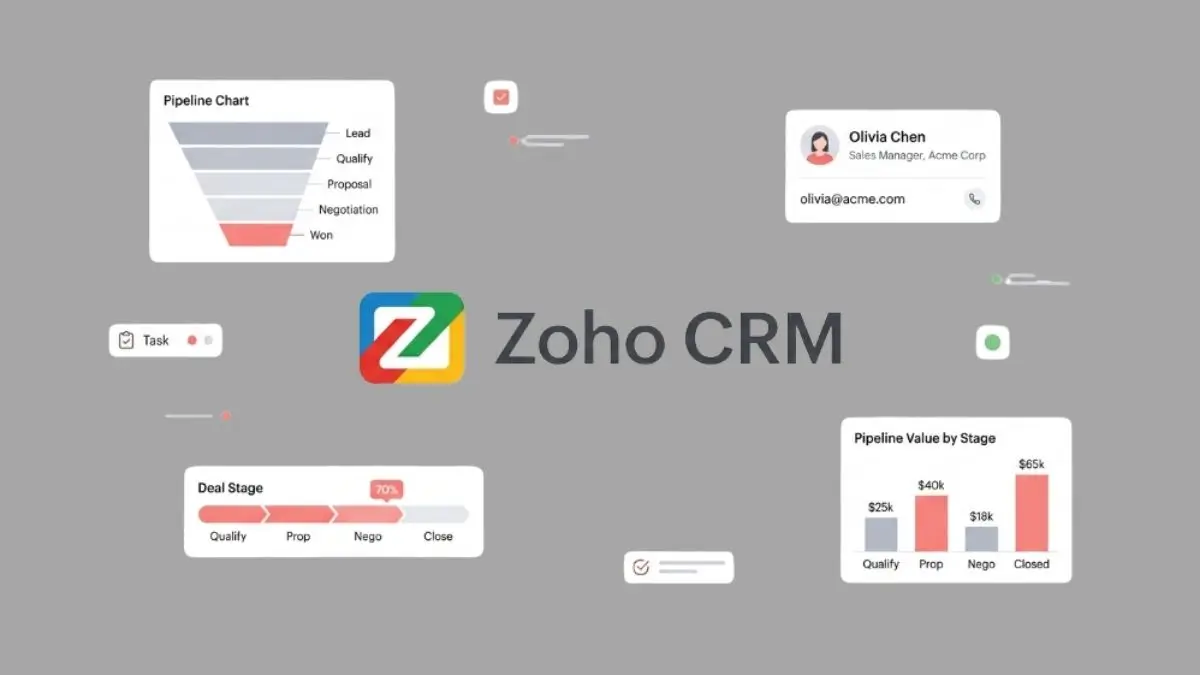
7. Zoho CRM
Best for: Small-to-mid-sized general practice firms wanting deep CRM customization without enterprise-level pricing.
Zoho gives you Salesforce-level customization at a fraction of the price. Its workflow builder is flexible enough to map your intake process, follow-up sequences, and case-stage tracking without a developer.
Key Features:
- Website form intake automation – capture leads from your WordPress site and route them into automated sequences.
- 360-degree client view – every email, call, form submission, and document in one place.
- Native Zoho ecosystem – integrates with Zoho Books (billing), Zoho Campaigns (email), Zoho Sign (e-signatures).
Pricing: Free tier; paid plans start at $14/user/month (Standard) up to $52/user/month (Ultimate).
Pros:
- Powerful customization without the Salesforce consultant price tag
- Excellent value – more features per dollar than almost any competitor
- Native integration with Zoho's full business software suite
Cons:
- Mobile app experience is noticeably worse than the desktop version
- Customer support can be slow and inconsistent
What Users Say: "Zoho CRM: A Powerful and Affordable CRM for Businesses of All Sizes." – G2 Small Business Reviewer
8. Pipedrive
Best for: Solo attorneys and very small firms (1–3 people) transitioning from spreadsheets to a proper CRM.
Pipedrive is the simplest pipeline CRM on this list. No complex setup, no legal jargon – just a clean visual pipeline that moves leads from "First Contact" to "Signed Retainer."
Key Features:
- Visual drag-and-drop pipeline – see every prospect at every stage; move them forward with one click.
- Activity reminders – automated alerts for every follow-up call, email, and consultation.
- 500+ integrations via Zapier – connect to your calendar, email, and legal tools.
Pricing: Starts at $14/user/month (Essential) up to $99/user/month (Enterprise). 14-day free trial.
Pros:
- Easiest setup on this list – live in under an hour
- Ease of Use score of 8.9/10 on G2
- Most affordable paid CRM option for solo attorneys
Cons:
- No legal-specific features – no conflict checks, no matter tracking
- Email marketing and automation are basic compared to HubSpot or Lawmatics
What Users Say: "Before Pipedrive, we used a spreadsheet to track leads – attempting a lunar voyage with an origami spaceship." – G2 Reviewer
9. MyCase
Best for: Solo attorneys and small firms (1–10 attorneys) wanting an all-in-one platform with minimal setup and training.
MyCase is the "easy button" for small law firms. Intake forms, matter management, billing, client portal, and basic automation are all included at a flat per-user price.
Key Features:
- All-in-one platform – client intake, case management, time tracking, billing, client portal – no third-party integrations needed.
- Secure client portal – clients check case status, upload documents, and message you.
- Included marketing automation – basic email sequences and intake forms at every plan level.
Pricing: Starts at $79/user/month; meaningful features require the $99/user/month Pro tier. 10-day free trial.
Pros:
- Easiest onboarding of any all-in-one tool
- Most consistently positive customer support reviews
- More features included per tier compared to Clio at equivalent price points
Cons:
- Less workflow flexibility than Clio for complex, multi-practice firms
- Basic plan is underpowered – you'll need the Pro tier to get real value
What Users Say: "MyCase positions itself as the easy button for law firm software, and that positioning is accurate." – Software Advice Reviewer
10. HubSpot Free CRM
Best for: Solo attorneys or brand-new firms with zero CRM budget who need basic lead tracking starting immediately.
HubSpot's free plan is the best zero-cost CRM option available. Unlimited contacts, deal tracking, email logging, meeting scheduler, live chat – all free, no credit card required.
Key Features:
- Unlimited contacts + pipeline tracking – no limits, no expiry.
- Email tracking + meeting scheduler – know when a prospect opens your email; let them book consultations directly.
- Live chat + basic chatbot – capture after-hours leads automatically.
Pricing: Permanent free plan. Paid upgrade to $15/user/month (Starter) when you're ready to scale.
Pros:
- Best free CRM on the market – no contest
- Set up in under 30 minutes
- Clear upgrade path to paid HubSpot tiers as your firm grows
Cons:
- No legal-specific features whatsoever – conflict checks and matter tracking are your responsibility
- HubSpot branding appears on emails and forms in the free tier
What Users Say: "HubSpot Free is genuinely a great place to start – just know you'll outgrow it quickly as you scale." – G2 Reviewer
Quick Comparison Table
| Tool | Starting Price | G2 Rating | Legal-Specific | Intake Automation | Best For |
|---|---|---|---|---|---|
| Lawmatics | $149/user/mo | 4.8/5 | Yes | Advanced | Mid-large firms |
| Clio Grow | $49/user/mo | 4.7/5 | Yes | Strong | General practice |
| Law Ruler | Custom | 4.6/5 | Yes | Advanced | PI / mass tort |
| CASEpeer | $69/user/mo | 4.5/5 | PI only | Strong | Personal injury |
| HubSpot CRM | Free | 4.4/5 | No | Strong | Marketing-driven |
| Salesforce | $25/user/mo | 4.4/5 | No | Advanced | Large firms |
| Zoho CRM | Free | 4.1/5 | No | Good | Budget-conscious |
| Pipedrive | $14/user/mo | 4.3/5 | No | Basic | Solo attorneys |
| MyCase | $79/user/mo | 4.5/5 | Yes | Basic | Small firms |
| HubSpot Free | $0 | 4.4/5 | No | Basic | Zero budget |
Our Pick for Most Law Firms: Clio Grow offers the best balance of legal-specific features, ease of use, and long-term scalability.
What AI Features Should You Look for in a Legal CRM in 2026?
AI is no longer a gimmick inside legal CRMs. In 2026, it's the feature separating top-performing firms from the rest – and the gap is widening fast.
- Lawmatics LM[AI] drafts follow-up emails based on each lead's specific behavior. Your team gets a ready-to-send email that reads personal, not robotic.
- Clio AI analyzes your matter pipeline and flags which leads are most likely to drop off – so your intake team knows exactly where to focus.
- HubSpot AI Assistant writes email sequences and suggests subject line improvements based on open rate data.
- Salesforce Einstein AI does predictive lead scoring – ranking every prospect by probability of converting to a paying client.
What to look for: Does the AI reduce manual data entry? Does it help prioritize leads? Can it draft communications specific to your practice area? If all three answers are yes, the AI feature is worth paying for.
Which CRM Is Right for Your Practice Area?
Stop choosing a CRM based on generic rankings. Match it to your actual practice area.
| Practice Area | Recommended CRM | Why |
|---|---|---|
| Personal Injury | Law Ruler or CASEpeer | High-volume multi-channel automation or deep PI case tracking |
| Immigration Law | MyCase or Zoho CRM | Long client journeys + document management |
| Estate Planning | Clio Grow or MyCase | Long-term client relationships + document management |
| Family Law | Lawmatics or Clio Grow | Speed-to-lead or long-term client management |
| Corporate/Business Law | Salesforce | Scales to enterprise-level complexity |
| General Practice | Clio Grow or HubSpot | Flexibility over specialization |
| Solo Attorney | Pipedrive or HubSpot Free | Lowest cost, easiest setup |
How to Choose the Right CRM: A Six-Step Framework
Don't overthink this. Follow these steps and you'll pick the right tool on your first try.
- Map your client journey. Write out every step from "prospect submits form" to "client signs retainer." Count how many steps are manual vs. automated.
- Identify your biggest bottleneck. Is it slow response time? Leads going cold? Poor follow-up? Pick one to solve first.
- Match firm size to CRM tier:
- Solo → Pipedrive or HubSpot Free
- Small (1–10) → MyCase or Clio Grow
- Growth (10–50) → Lawmatics or Clio
- Large (50+) → Salesforce
- Check integrations with existing tools. Your CRM must connect to your billing software, email provider, and calendar. Run a demo with your actual tools, not a sandbox.
- Run a free trial with real leads. Don't test with fake data. Put actual prospects into the system for two weeks. See what breaks.
- Prioritize adoption over features. The best CRM is the one your team actually uses. A $14/month Pipedrive with 100% adoption beats a $500/month Salesforce that half your team ignores.
Budget guidance: Most small firms spend $50–$200 per month on CRM. That's the revenue from a fraction of one additional signed client – and a single additional client per month from better follow-up covers your annual CRM cost.
How to Implement Your CRM Successfully
Even the best CRM fails if implementation is sloppy. Here's how to avoid the 93% failure rate.
- Assign a CRM owner. One person owns intake metrics, data hygiene, and training. Make it a specific job responsibility.
- Train by role. Your intake coordinator needs different training than your attorneys. Run separate sessions.
- Start with one automation. Don't try to automate everything at once. Pick one sequence (e.g., post-form submission text) and get it right before adding more.
- Measure the right metric. Track lead-to-signed-client conversion rate weekly. If it's below 20%, you have a process problem, not a software problem.
- Review monthly. Spend 30 minutes each month reviewing pipeline reports. Adjust your sequences based on what's working.
Frequently Asked Questions
Q1. What is the best CRM for a small law firm?
For small firms (1–10 attorneys), Clio Grow or MyCase are the top choices. Clio Grow starts at $49/user/month with full intake and CRM capabilities. MyCase is simpler and faster to implement. Solo attorneys on a tight budget should start with HubSpot Free and upgrade once revenue justifies the investment.
Q2. What is the difference between a legal CRM and practice management software?
A legal CRM handles client acquisition, intake forms, lead nurturing, and converting prospects into clients. Practice management software handles active cases, billing, time tracking, and documents. Tools like Clio combine both. You need a CRM first to fill your pipeline, then practice management to handle signed clients efficiently.
Q3. Is Salesforce good for law firms?
Salesforce works well for large firms (50+ attorneys) with internal IT support and complex multi-office workflows. It offers unlimited customization and Einstein AI insights. Don't use it for small firms – implementation requires expensive consultants and months of setup. Clio or Lawmatics serve smaller firms far better at a fraction of the cost.
Q4. How much does a law firm CRM cost?
Pricing varies widely in 2026. HubSpot offers a permanent free plan. Pipedrive starts at $14/user/month. Clio Grow starts at $49/user/month. Lawmatics starts at $149/user/month. Salesforce exceeds $500/user/month at the enterprise tier. Most small firms budget $50–$200/month total – always check for annual commitment requirements.
Q5. Does a law firm's CRM need to be HIPAA-compliant?
Most legal CRMs don't require HIPAA compliance unless your practice intersects with healthcare law. All legal CRMs should support attorney-client privilege protections and bar association data standards. Look for two-factor authentication, role-based access, and encrypted storage. Always verify requirements with your specific state bar's technology guidelines.
Q6. Can I use HubSpot or Pipedrive as a law firm CRM?
Yes, with clear limitations. Both are strong general-purpose CRMs with solid pipeline management and email automation. Neither offers conflict checks, matter tracking, or legal-specific intake forms. They're best as affordable starting points for solo attorneys before upgrading to a legal-specific platform like Clio or Lawmatics as your firm grows.
Bottom Line: Which CRM Should Your Law Firm Use in 2026?
Here's the final breakdown by firm type:
- Solo Attorney: Start with HubSpot Free ($0). Upgrade to Pipedrive ($14/month) when you need pipeline structure.
- Small Firm (1–10 attorneys): MyCase for easiest all-in-one entry. Clio Grow for best long-term investment.
- Growth Firm (10–50 attorneys): Lawmatics if client acquisition is your priority. Clio Grow if you also need case management.
- Large Firm (50+ attorneys): Salesforce for maximum customization. Budget $20,000–$50,000+ for proper implementation.
- PI Firms: Law Ruler for aggressive multi-channel intake. CASEpeer for deep PI case and settlement management.
Don't wait for the perfect moment to implement. Every week without automation is another week of leads going cold at 11 PM. Start with the tool that matches your firm's size. Get it live. Then optimize.
Your competitors are already using CRM. The question is whether they're using it effectively – or adding to that 93% who bought the software and never made it work.
📊 Also read: Best Client Reporting Software – compare tools that help you communicate case progress to clients.