Skip to content

You’re losing billable hours to document chases, missed follow-ups, and the mental overhead of juggling four tools to manage one client relationship. The right CRM can fix that, but most software wasn’t designed for accounting workflows. Generic sales tools lack client portals, tax organizers, and the compliance features your firm actually needs.
I’ve evaluated ten platforms through the lens of real accounting practices — solo CPAs, multi-person firms, QuickBooks vs. Xero shops, and enterprise offices. Each review covers what works, what doesn’t, and exactly where the tool fits. No fluff. No affiliate-driven rankings.
What Is the Best CRM for Accountants in 2026?
TaxDome is the best all-in-one solution for firms ready to consolidate their tech stack. Karbon leads for team collaboration and email-heavy workflows. Financial Cents wins on simplicity and flat-rate pricing for small firms. For solo CPAs on a budget, HubSpot’s free tier or Liscio (for secure client communication) are excellent starting points.
Your best choice depends on firm size, accounting software, and whether you need a built-in client portal. Use the comparison table and decision framework below to find your fit.
CRM vs. Practice Management Software: Why the Distinction Matters
Most accountants buy the wrong tool because they don’t understand the difference. Let me make it clear.
CRM (Client Relationship Management) tracks contacts, communication history, and sales pipelines. Examples: HubSpot, Zoho CRM, Pipedrive. Best for client acquisition and prospect tracking. Affordable ($0–$50/month) and quick to set up.
Practice Management Software (PMS) runs your firm’s operations — projects, billing, deadlines, document management, and compliance workflows. Examples: TaxDome, Karbon, Canopy, Financial Cents. More expensive, longer onboarding, but built for recurring client work.
The practical rule: if you’re a solo CPA chasing 30 prospects, start with a CRM. If you have more than 20 active clients with recurring engagements, tax deadlines, and document exchange, you need practice management software that includes CRM features. All tools in this review span both categories — I’ll tell you which camp each belongs to.
Top 10 Accounting CRM Tools Compared
I evaluated each platform on features, real user feedback (G2 and Capterra), pricing transparency, and fit for accounting workflows. Here are the full reviews.
1. TaxDome — Best All-in-One Practice Management CRM
Best for: Tax and accounting firms of all sizes
Price: $700–$1,100/user/year (billed annually)
Overview: TaxDome combines CRM, client portal, document management, e-signatures, billing, and workflow automation into a single subscription. No per-feature add-ons at the base level. Over 10,000 accounting firms use it, and the client mobile app holds a 4.9/5 rating on iOS. SOC 2 Type II certification is confirmed — critical for firms handling sensitive financial data.
The tradeoff: the most affordable plan ($700/user/year) requires a three-year contract. Email management isn’t as strong as Karbon’s. But for a firm ready to eliminate three or four separate subscriptions, nothing else on this list matches TaxDome’s breadth.
Real-world example: A three-person tax prep firm drowning in Dropbox links and email back-and-forth. After switching, clients upload documents via the mobile app, sign engagement letters electronically, and pay invoices without a single email thread.
Key features:
- All-in-one platform eliminates 3–4 separate tools
- Automated workflows for tax organizers, transcript downloads, and follow-ups
- Unlimited contacts and document storage at all plan levels
Pros & Cons
| Pros | Cons |
|---|---|
| Eliminates multiple subscriptions; total cost often lower than paying for separate tools | Email management lags behind Karbon; non-client emails don’t auto-link to CRM |
| Best-in-class client mobile app (4.9/5 iOS) — clients use it without training | Best pricing locked behind a 3-year commitment |
| Structured 6–8 week onboarding ensures full setup | — |
Rating: ⭐⭐⭐⭐⭐ 9.2/10
2. Karbon — Best for Team Collaboration and Email Workflows
Best for: Accounting firms of 5+ with heavy email volume
Price: $59–$89/user/month (billed annually)
Overview: If your firm’s biggest pain is email chaos, missed client messages, and no visibility into who’s handling what, Karbon is the fix. Its shared team inbox is the core feature — all client emails automatically link to the right contact and workflow. The ‘My Week’ dashboard shows each team member’s workload in real time, and 250+ pre-built templates cover tax prep, onboarding, and month-end close. Karbon reports users save 3.2 hours per employee per week.
Caveats: if a team member completes a task out of sequence, automated workflows can break — a recurring complaint in G2 reviews. The client portal is desktop-only, a genuine gap versus TaxDome’s mobile-first approach.
Real-world example: A 10-person firm spending hours sorting a shared Gmail inbox. After implementing Karbon, every client email is automatically routed, assigned via @mention, and tracked against an open workflow. The inbox stops being a black hole.
Key features:
- Shared team inbox with automatic contact linking
- 250+ workflow templates and AI-assisted email drafting
- Capacity planning dashboard for intelligent workload assignment
Pros & Cons
| Pros | Cons |
|---|---|
| Strongest team collaboration in the category — @mentions, task dependencies, shared comments | No mobile client portal; clients must use desktop browser |
| AI assistant summarizes thread history and drafts replies | Non-linear task completion can break automation pipelines |
| Native Xero integration; QuickBooks also available | Custom reporting add-on costs $6,000+ |
Rating: ⭐⭐⭐⭐⭐ 9.0/10
3. Canopy — Best for Tax Resolution Firms
Best for: Mid-size tax resolution and full-service firms
Price: $150/month base; full 5-user setup ~$8,520/year
Overview: Canopy’s client portal has the best UI in this review — clients can upload documents, e-sign, and check status without needing training. For tax resolution firms, the direct IRS transcript download feature is a genuine operational differentiator. AI-powered reporting and analytics outperform TaxDome.
The problem: pricing. $150/month covers only client management. Billing, tax resolution, and other modules each cost extra. A fully equipped firm of five reaches roughly $8,520/year. One G2 user described it as “buying a Porsche without an engine.”
Real-world example: A tax resolution firm managing 60 active IRS cases. Canopy pulls transcripts directly into the platform, attaches them to client files, and routes tasks to the right team member — all from the client portal.
Key features:
- Best-rated client portal UI — clients adopt it independently
- Direct IRS transcript downloads into client files
- AI-powered analytics and workload reporting
Pros & Cons
| Pros | Cons |
|---|---|
| Cleanest client portal in the category | Modular pricing trap; headline price balloons with necessary modules |
| IRS integration is unique for resolution work | Limited real-time client messaging |
| Stronger analytics than TaxDome | — |
Rating: ⭐⭐⭐⭐ 8.4/10
4. Method CRM — Best for QuickBooks-Centric Firms
Best for: Bookkeepers and accountants running QuickBooks
Price: $25–$74/user/month (billed annually)
Overview: Method CRM offers the tightest two-way QuickBooks sync on the market. Update a client record in Method — it instantly reflects in QuickBooks, and vice versa. No double data entry. Custom web forms automate client intake, and the 360-degree client view includes invoices and transaction history pulled directly from QB.
Limitation: Method is only viable for QuickBooks or Xero users. It’s not designed for anything else. Customization takes meaningful time — this isn’t plug-and-play.
Real-world example: A bookkeeper managing 40 QuickBooks clients who used to manually copy data from QB to a spreadsheet. Method eliminates that: one update syncs both systems in real time.
Key features:
- Two-way real-time QB sync — best in class
- Full client activity history, invoices, and transaction data
- Custom intake forms that feed directly into QB
Pros & Cons
| Pros | Cons |
|---|---|
| Eliminates double data entry for QB-heavy practices | Not usable outside QB/Xero ecosystem |
| Affordable entry price for small QuickBooks firms | Customization requires significant setup time |
| Highly customizable workflows | — |
Rating: ⭐⭐⭐⭐ 8.0/10
5. Liscio — Best for Secure Client Communication
Best for: Solo CPAs and small firms replacing email chaos
Price: $49/user/month (custom for larger teams)
Overview: Liscio replaces insecure email with a secure two-way messaging platform that feels like texting, but includes full conversation history, document management, and automated follow-ups. Setup is the fastest in this review — most firms are live in under an hour. Clients adopt the mobile app naturally; many accountants report never having to explain how it works.
The honest limitation: Liscio is not a full practice management platform. No billing, project tracking, or reporting. If you need all-in-one functionality, pair it with another tool or look at TaxDome.
Real-world example: A solo CPA sending tax documents via Gmail with “please don’t share this” in the subject line. After switching, all documents exchange through a branded secure portal. Automatic reminders for pending signatures eliminate “I never got that email” disputes.
Key features:
- Encrypted two-way messaging with full history
- Automated tax organizer workflows and follow-ups
- Gmail/Outlook sync consolidates all client communication
Pros & Cons
| Pros | Cons |
|---|---|
| Fastest setup in the category — live in under an hour | Not a full practice management suite |
| Clients adopt the mobile app independently | Limited customization for complex internal workflows |
| Automated follow-ups dramatically reduce document chasing | — |
Rating: ⭐⭐⭐⭐ 8.6/10
6. HubSpot CRM — Best Free Option for Client Acquisition
Best for: New CPAs and firms focused on building a pipeline
Price: Free (unlimited); Starter from $15/user/month
Overview: HubSpot is the only genuinely useful free CRM in this review — unlimited contacts, email tracking, pipeline management, and AI-powered sequences at no cost. Perfect for a CPA launching their practice with 30–50 prospects to track.
The tradeoff: HubSpot has no accounting-specific features — no tax organizers, e-signatures, client portals, or recurring workflow tools. Once you have a stable client base with ongoing engagements, you’ll outgrow it. Think of it as the best starting point, not a long-term home.
Real-world example: A CPA with 45 prospects from a networking event sets up HubSpot in 45 minutes, creates a follow-up sequence, and tracks who opens their proposal. Six months later, they migrate to TaxDome or Financial Cents.
Key features:
- Free tier with unlimited users and contacts
- Visual drag-and-drop pipeline and AI email sequences
- Broad integration library (Gmail, Outlook, QuickBooks via Zapier)
Pros & Cons
| Pros | Cons |
|---|---|
| Only true free option — zero investment until ready to upgrade | No accounting-specific features: no tax organizers, e-signatures, client portals |
| Setup under an hour; lowest friction onboarding | Not designed for recurring client management |
| Best-in-class lead management for growing firms | — |
Rating: ⭐⭐⭐⭐ 7.8/10
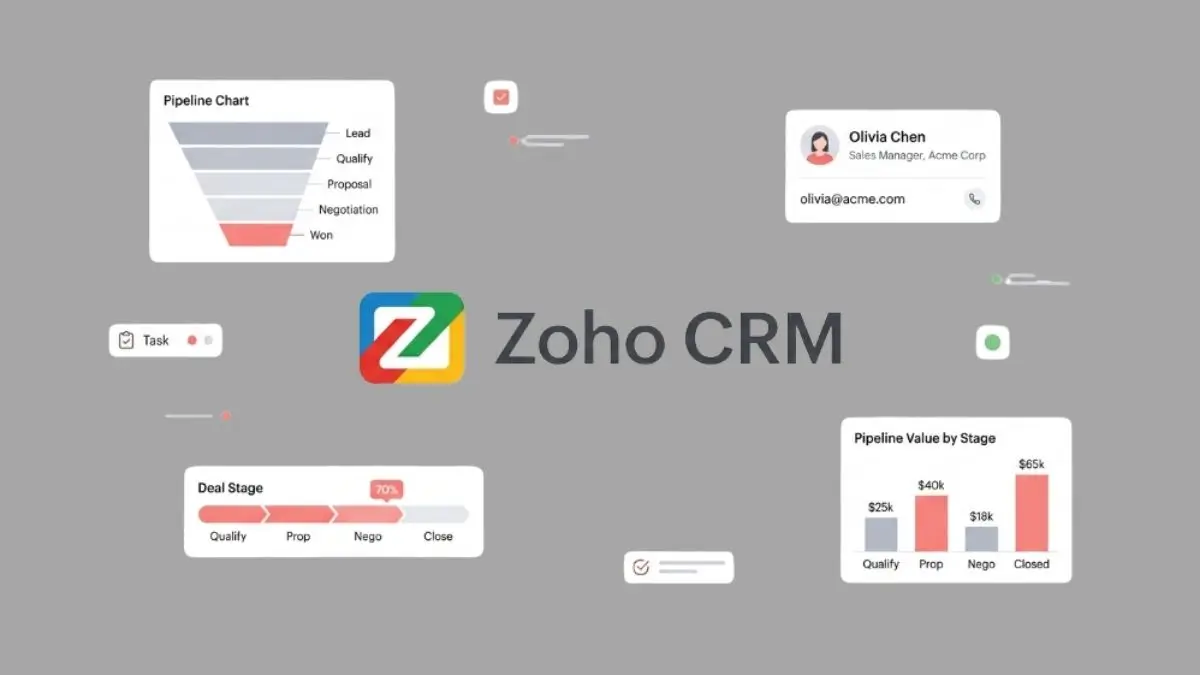
7. Zoho CRM — Best Budget-Friendly Customizable Option
Best for: Tech-savvy solo accountants in the Zoho ecosystem
Price: Free (3 users); Standard $14/user/month
Overview: Zoho CRM offers the lowest per-user pricing among paid options. If you already use Zoho Books, integration is seamless — a single unified ecosystem at a fraction of TaxDome or Karbon’s cost. The AI assistant Zia provides predictive lead scoring, best send-time recommendations, and churn risk alerts.
The caveat: Zoho has a steep learning curve. Multiple G2 reviews describe it as not beginner-friendly compared to HubSpot, and Outlook email sync has drawn consistent complaints about unresolved integration issues. Budget meaningful setup time.
Real-world example: A tech-savvy solo bookkeeper using Zoho Books activates Zoho CRM Standard at $14/month, connects it in 20 minutes, and immediately sees all client invoices and transaction history alongside contact records.
Key features:
- Native integration with Zoho Books, Expense, and Subscriptions
- AI assistant Zia with predictive lead scoring and churn alerts
- Highly customizable modules (after configuration time)
Pros & Cons
| Pros | Cons |
|---|---|
| Most affordable per-user pricing in the comparison | Steep learning curve; requires technical setup |
| Free plan for up to 3 users | Outlook email sync issues reported in G2 reviews |
| Tight integration with Zoho finance products | — |
Rating: ⭐⭐⭐⭐ 7.5/10
8. Financial Cents — Best for Small Firms Wanting Simplicity
Best for: Small bookkeeping and accounting firms (1–10 staff)
Price: Solo: $19/month flat; Team: $49/month; Scale: $69/month
Overview: Financial Cents consistently beats TaxDome and Karbon on ease-of-use scores (4.9 vs 4.5 on Capterra), average setup time is just three hours, and pricing is flat-rate — no cost surprises when you add team members. Pre-built workflow templates for monthly bookkeeping, quarterly reviews, and tax filings let you execute on day one.
The limitation: no mobile client app, limited security certifications compared to TaxDome’s SOC 2 Type II, and automation depth lags behind Karbon for complex multi-step workflows. Perfect for straightforward recurring practices, not enterprise complexity.
Real-world example: A bookkeeper with 25 recurring monthly clients was tracking everything in Google Sheets. After three hours setting up Financial Cents, they have automated task reminders, document request workflows that follow up automatically, and a dashboard showing exactly what’s overdue.
Key features:
- Flat-rate pricing — no per-user fees
- Pre-built recurring workflows for tax, bookkeeping, payroll
- Automated client document requests and follow-ups
Pros & Cons
| Pros | Cons |
|---|---|
| Easiest setup — average 3 hours to operational | No mobile client app |
| Predictable pricing for growing teams | Automation depth limited vs. Karbon or TaxDome |
| Solo plan at $19/month flat is best value for self-employed accountants | — |
Rating: ⭐⭐⭐⭐½ 8.7/10
9. Salesforce — Best for Enterprise Firms
Best for: Large accounting firms and enterprise practices (50+ staff)
Price: Starter: $25/user/month; Enterprise: $165/user/month + add-ons
Overview: Salesforce is the most powerful CRM in the world, and it’s overkill for most accounting firms. If you’re under 20 staff, stop reading this section and look at TaxDome or Karbon. For large firms, Agentforce AI is genuinely category-defining — autonomous agents handle client service, proactive follow-ups, and document processing at scale. Customization is unlimited if you have internal IT resources.
The real cost is hidden: $25/user/month climbs fast with Financial Services Cloud, implementation, training, and a certified Salesforce admin. Total cost of ownership for a 20-person firm typically ranges from $80,000 to $150,000 over three years.
Real-world example: A Big 4 regional office with 75 staff managing 500+ corporate clients. Financial Services Cloud creates a unified client record across tax, audit, and advisory. Agentforce AI agents flag at-risk clients and trigger renewal workflows without manual intervention.
Key features:
- Agentforce AI for autonomous client service and document processing
- Unlimited customization — build any workflow or dashboard
- Real-time revenue forecasting and engagement scoring
Pros & Cons
| Pros | Cons |
|---|---|
| Handles enterprise-scale complexity unmatched by others | Impractical for under 20 staff; requires IT support |
| Most mature AI implementation — goes beyond email summaries | Total cost far exceeds headline price |
| Largest ecosystem of certified implementation partners | — |
Rating: ⭐⭐⭐⭐ 7.2/10
10. Pipedrive — Best for Simple Sales Pipeline Tracking
Best for: New accountants building their practice through referrals
Price: Essential: $14/seat/month; Professional: $49/seat/month
Overview: Pipedrive has the most intuitive interface of any CRM in this review. The visual drag-and-drop pipeline makes it easy to see where every prospect stands, and email open tracking tells you exactly when a potential client reads your proposal. At $14/month, it’s the most accessible entry point.
The honest assessment: Pipedrive is a sales tool, not an accounting tool. No tax organizers, engagement letters, document management, or features for recurring client relationships. Once you convert a prospect into an active client, you’ll outgrow it almost immediately.
Real-world example: A CPA collects 22 business cards at a chamber event. They set up Pipedrive in 30 minutes, create a four-stage pipeline (Contacted → Proposal Sent → Engagement Signed → Active Client), and track every conversation.
Key features:
- Visual drag-and-drop pipeline with customizable stages
- Email open and click tracking for follow-up timing
- Strong mobile app for on-the-go updates
Pros & Cons
| Pros | Cons |
|---|---|
| Best UI for accountants who prioritize simplicity | Once clients are active with recurring work, it won’t serve you |
| Email tracking gives real intelligence on prospect engagement | Not built for ongoing client management |
| $14/month is the most accessible entry price | — |
Rating: ⭐⭐⭐⭐ 7.3/10
Must-Have Features for Accounting CRMs
Not all CRM features matter equally for accounting workflows. These four separate a great fit from an expensive mistake.
Client Portal: Non-Negotiable for Sensitive Data
A client portal lets clients upload documents, sign forms, and communicate through a secure, branded interface — no email attachments. Best portals: Canopy (best UI), TaxDome (best mobile), Liscio (fastest adoption). HubSpot, Zoho, and Pipedrive don’t offer one.
QuickBooks and Xero Integration: Not All Syncs Are Equal
Most tools claim integration. Most are shallow one-way exports via Zapier. Method CRM is the only one with real-time two-way QB sync. Karbon is strongest for Xero. If double data entry is your #1 pain, choose Method for QB or Karbon for Xero.
AI Features: What’s Real in 2026 vs. Marketing Hype
Every tool claims AI. Here’s what actually works:
- Karbon: drafts email replies and summarizes threads — saves time daily
- Salesforce Agentforce: autonomous AI agents for enterprise
- Canopy: AI-powered reporting for firm owners
- Zoho Zia: predictive lead scoring and churn alerts
- TaxDome: AI-triggered task creation (solid, not generative)
- HubSpot/Pipedrive: standard email sequence optimization — not accounting-specific
Takeaway: If AI-assisted client communication is your priority, Karbon is the standout.
Security Compliance: SOC 2, GDPR, and GLBA
Accounting data is among the most sensitive. Your CRM must meet minimum standards.
- SOC 2 Type II certified: TaxDome (confirmed), Karbon (confirmed)
- GLBA compliance: required for firms handling non-public personal financial information
- Always verify certifications directly with the vendor — security postures change annually
For more on security standards for accounting firms, refer to the guidelines published by the American Institute of CPAs (AICPA).
2026 Pricing Breakdown and Hidden Costs
Most comparison lists show a starting price and bury the real cost. Here’s the full picture.
| Tool | Free Tier | Entry Price | Pricing Model | Contract | Hidden Costs |
|---|---|---|---|---|---|
| HubSpot | Yes (unlimited) | $15/user/mo | Per user | No | Paid tiers add up fast |
| Zoho CRM | Yes (3 users) | $14/user/mo | Per user | No | Add-ons for advanced features |
| Financial Cents | No | $19/mo flat | Flat rate | No | None significant |
| Pipedrive | No | $14/seat/mo | Per seat | No | AI/automation add-ons extra |
| Method CRM | No | $25/user/mo | Per user | No | Setup time is the real cost |
| Liscio | No | $49/user/mo | Per user | No | Custom pricing for 10+ users |
| Karbon | No | $59/user/mo | Per user | Annual | Contact migration +$299; custom reporting +$6,000 |
| Canopy | No | $150/mo (base) | Modular | Annual | Full 5-user setup ~$8,520/year |
| Salesforce | No | $25/user/mo | Per user | Annual | FSC + admin + training can add $50K+ |
| TaxDome | No | $700/user/yr | Per user | Annual/3-yr | Best price locked behind 3-year commitment |
Hidden Costs to Watch For
- Karbon: Custom reporting is a $6,000+ add-on. Contact migration costs $299.
- Canopy: $150/month covers only client management. Billing and tax resolution modules are extra.
- TaxDome: Cheapest rate ($700/user/year) requires a three-year commitment.
- Salesforce: Real total cost for a 20-person firm: $80,000–$150,000 over three years.
How to Choose the Right CRM for Your Firm
By Firm Size
Solo CPA / Freelance Accountant
- Budget under $50/month, basic tracking: HubSpot Free or Zoho CRM ($14/month)
- Need a client portal: Liscio ($49/month)
- Simple practice management: Financial Cents Solo ($19/month flat)
- Ready for all-in-one: TaxDome Essentials ($800/year)
Small Firm (2–10 Staff)
- QB users needing sync: Method CRM ($25–44/user/month)
- Simple flat-rate management: Financial Cents Team ($49/month flat)
- Full all-in-one with portal + billing: TaxDome Pro ($900/user/year)
- Team collaboration is #1 problem: Karbon Team ($59/user/month)
Enterprise (50+ Staff)
- Salesforce (with Financial Services Cloud and dedicated admin)
General CRM vs. Specialist Tool
Under 20 active clients with no recurring workflow complexity → general CRM (HubSpot, Zoho, Pipedrive). Over 20 clients with engagements, deadlines, and document exchange → practice management software (TaxDome, Karbon, Financial Cents).
QuickBooks vs. Xero Users
| QuickBooks Users | Xero Users |
|---|---|
| Method CRM — two-way real-time sync (best in class) | Karbon — native Xero integration |
| TaxDome — QB integration available | TaxDome — Xero integration available |
| HubSpot — QB via Zapier only | HubSpot — Xero via Zapier only |
Which CRMs Hold Up During Tax Season?
January through April 15 is when your CRM either earns its price or becomes a liability.
- TaxDome: Built for tax season volume — bulk client emails, mass document requests, automated reminders run without degradation.
- Karbon: 250+ templates include tax season-specific checklists. Capacity dashboard prevents over-assignment. Risk: non-linear tasks can break pipelines under pressure.
- Financial Cents: Recurring templates eliminate per-client setup. Flat pricing means no surprises if you add a seasonal contractor.
- Liscio: Mobile app dramatically reduces document-chase bottleneck — clients respond in seconds.
- HubSpot/Pipedrive: Not designed for tax-season volume. No tax organizers, mass document requests, or deadline-based triggers.
Tax Season Reality Check: The six weeks before April 15 reveal whether your CRM was built for accounting or adapted from a sales tool. TaxDome, Karbon, and Financial Cents are designed for this pressure. HubSpot and Pipedrive are not.
FAQ: CRM Software for Accountants
What is the best CRM for accountants?
Solo CPAs: HubSpot free or Financial Cents ($19/month). Small firms (2–10): TaxDome or Karbon. QuickBooks-centric firms: Method CRM. Enterprise: Salesforce. The right answer is the one your team will actually use every morning.
Do accountants need a CRM?
Yes. Accountants managing 50+ clients without a CRM lose roughly 15 minutes per client call reconstructing context — that’s 12+ hours of billable time per month. A $50/month CRM that saves 12 hours is easy math.
What CRM do most accountants use?
TaxDome (10,000+ firms), Karbon, and HubSpot are the most widely used platforms in 2026. Among QuickBooks-heavy practices, Method CRM is the specialist choice. Financial Cents is growing fastest among solo bookkeepers.
What is the difference between a CRM and practice management software?
CRM tracks relationships and leads. Practice management runs operations: projects, billing, deadlines. TaxDome and Karbon are practice management platforms with built-in CRMs. HubSpot and Pipedrive are pure CRMs with no accounting-specific features.
Is HubSpot good for accountants?
Yes for client acquisition. Its free tier is excellent for tracking prospects and automating follow-ups. Not suited for ongoing client management — no tax organizers, e-signatures, or client portals.
How much does CRM software for accountants cost?
Range: $0 (HubSpot free) to $1,100+/user/year (TaxDome Business). Most solo CPAs find a fit between $19–$49/month. Small firms typically spend $50–$100 per user/month for a full platform. Always verify total cost, including hidden add-ons.
Does QuickBooks have a built-in CRM?
No. QuickBooks Online has basic contact management but no pipeline tracking, automated follow-ups, or communication history. Method CRM is the strongest third-party solution with two-way real-time sync.
Is Salesforce good for small accounting firms?
Generally no. Too complex and expensive for under 20 staff. Setup requires IT support, and true total cost far exceeds the $25/user/month base. TaxDome, Karbon, or Financial Cents deliver better ROI for small practices.
Bottom Line — Which CRM Is Right for You?
The best CRM for accountants is the one your team will use every day and that fits where your firm is now — not where you plan to be in five years.
| Your Situation | Recommendation | Starting Price |
|---|---|---|
| Solo CPA, starting, budget-conscious | HubSpot Free or Financial Cents | $0 / $19/month |
| Solo CPA needing a client portal | Liscio | $49/user/month |
| Small firm, QuickBooks-heavy | Method CRM | $25/user/month |
| Small firm wanting all-in-one | TaxDome Pro | $900/user/year |
| Team with email coordination problems | Karbon | $59/user/month |
| Tax resolution firm | Canopy | $150/month + modules |
| Tech-savvy firm in Zoho ecosystem | Zoho CRM | $14/user/month |
| Enterprise / large firm (50+ staff) | Salesforce | $25/user/month + add-ons |
Three picks I’d stake my recommendation on: TaxDome if you want to consolidate your tech stack. Karbon if your team lives in email and coordination is the bottleneck. Financial Cents if you want something simple, affordable, and built specifically for accounting without enterprise price tags.
Start with a free trial before committing to any annual contract. Every tool in this review offers a demo period — use it before you sign.
Related reading: For a deeper look at how modern firms present client results alongside relationship management, see our guide on client reporting software.