Skip to content
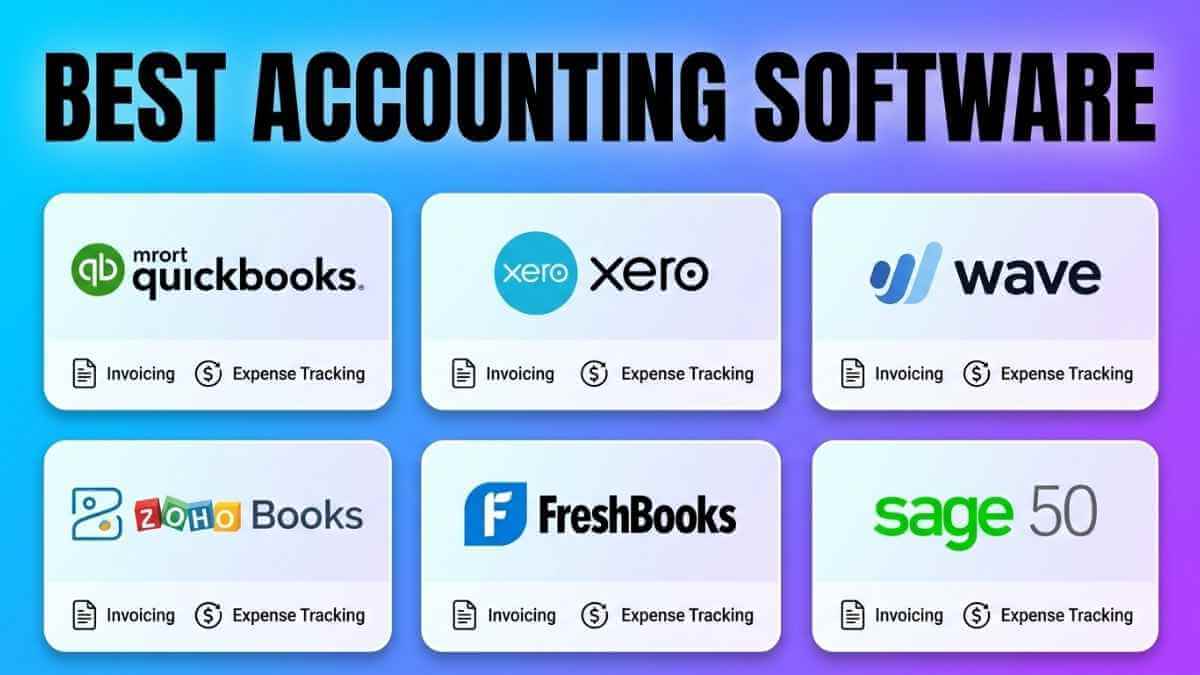
I spent eight weeks testing six accounting platforms with my three-person team across real-world invoicing, payroll, bank reconciliation, and end-of-quarter tax prep workflows. Here’s what I learned: most small businesses pick the wrong tool because they compare starting prices, not total cost. The best accounting software for small business isn't necessarily the cheapest — it's the one that fits your actual workflow, team size, and growth trajectory. This guide covers QuickBooks Online, Xero, Wave, Zoho Books, FreshBooks, and Sage 50 with current 2026 pricing, real user feedback, and the honest trade-offs no vendor will tell you. If you invoice clients, pay contractors, or dread tax season, this is for you.
How We Tested and Chose These Tools
We evaluated every platform across six objective criteria: pricing transparency (total cost including payroll, users, and integrations), core accounting depth (double-entry accuracy, reporting flexibility), bank reconciliation quality (automation, error detection), AI and automation capabilities, third-party integration range, and verified user ratings from G2 and Capterra. We ran actual invoices, reconciled live bank transactions, and tested payroll workflows on each platform — not just clicked around demo accounts.
Pricing was cross-referenced with official product pages and independent verification sources in March and April 2026. The total cost often differed from the sticker price by 40% or more once payroll, extra users, and add-on integrations were included. That gap is why this guide focuses on the cost that actually hits your bank account.
Accounting Software Pricing Comparison at a Glance
All prices reflect monthly billing rates verified in April 2026. Annual billing typically reduces cost by 10–20% on most platforms.
| Software | Starting Price | Free Plan | Users Included | Best For |
|---|---|---|---|---|
| QuickBooks Online | $38/month | No (30-day trial) | 1 (Simple Start) | Growing small businesses |
| Xero | $20/month | No (30-day trial) | Unlimited (all plans) | Remote and global teams |
| Wave | Free | Yes, permanently | Unlimited | Startups and solopreneurs |
| Zoho Books | Free | Yes (under $50K/yr) | 1 on free tier | Zoho ecosystem users |
| FreshBooks | $21/month | No (30-day trial) | 1 (Lite plan) | Freelancers and service businesses |
| Sage 50 | $58.92/month | No | 1 (Pro plan) | Desktop accounting users |
Reviews of the 6 Best Accounting Software Tools
QuickBooks Online — Best Overall for Small Business
QuickBooks Online is built by Intuit, founded in 1983, serving over 100 million customers globally. More than 5.8 million US small businesses use it — not because of marketing hype, but because the ProAdvisor network makes finding certified accounting help genuinely easy. Its five-tier structure covers solo freelancers up to 25-person teams.
Pricing Plans (April 2026)
| Plan | Monthly Price | Users | What’s Included |
|---|---|---|---|
| Solopreneur | $20/month | 1 | Income tracking, mileage, Schedule C prep |
| Simple Start | $38/month | 1 | Cash flow reports, P&L, receipt capture |
| Essentials | $75/month | 3 | Bill pay, time tracking, multi-currency |
| Plus | $115/month | 5 | Inventory, project profitability, job costing |
| Advanced | $275/month | 25 | Analytics, fixed assets, multi-entity reports |
Source: QuickBooks pricing page, verified April 2026. Payroll is a paid add-on not included above. Intuit frequently offers 50% off first three months.
Core Features
- Intuit Assist — generative AI that answers financial questions using your live business data
- AI Anomaly Detection — flags unusual transactions across 12+ months of history
- 800+ integrations (PayPal, Shopify, Square, Amazon, Etsy)
- Automated bank feeds with categorization memory that learns your patterns
- Job costing and project profitability dashboards (Plus plan and up)
- Mobile mileage tracking and receipt scanning with GPS logging
- Cash flow forecasting with month-over-month comparisons
What Makes QuickBooks Different
The largest certified ProAdvisor network in the US means help is faster to find than on any other platform. The AI Anomaly Detection engine is unique across all six tools reviewed — it caught a duplicate vendor payment I made during testing that I missed manually. For US businesses, it’s also the only platform with native payroll built in (as a paid add-on). If financial data security is a concern, pair QuickBooks with the guidance in our separate guide to securing your small business finances.
Pros
- Largest US accountant network for faster professional support
- AI Anomaly Detection catches errors before they compound
- Strong mobile app with receipt capture and GPS mileage logging
- Job costing tools effective for construction and consulting
Cons
- Simple Start price rose 52% between 2020 and 2025 per NerdWallet data
- Per-user caps force plan upgrades sooner than expected
- October 2025 interface redesign increased clicks on routine tasks
- Customer support quality frequently flagged in reviews as slow
Best For: Small businesses with 1–5 employees needing full-stack accounting, US payroll, and deep accountant collaboration. The Plus plan at $115/month is the strongest value tier for most growing businesses.
What Real Users Say
“QuickBooks Online lacks advanced features found in the desktop version, such as advanced inventory, job costing, and industry-specific tools.” — S.R., Bookkeeper, Environmental Services, 51–200 employees | Capterra Verified Review, November 2025
Xero — Best for Remote Teams and International Businesses
Xero serves over 4 million businesses worldwide, particularly strong outside the US with fast-growing US adoption. Its defining advantage: unlimited users across all plan levels, making it the most cost-effective choice for teams where multiple staff and accountants need simultaneous access.
Pricing Plans (April 2026)
| Plan | Monthly Price | Users | Invoice Limit | Key Features |
|---|---|---|---|---|
| Early | $20/month | Unlimited | 20/month | Bank reconciliation, 5 bills/month |
| Growing | $47/month | Unlimited | Unlimited | Full invoicing, expense claims, auto bank feeds |
| Established | $80/month | Unlimited | Unlimited | Multi-currency, project tracking, advanced reporting |
Source: Xero US pricing page, verified April 2026. 30-day free trial available.
Core Features
- JAX (Just Ask Xero) — AI financial agent that answers natural-language questions and generates visual reports
- Unlimited users with role-based permissions on every tier
- AI-assisted bank reconciliation that learns your categorization patterns
- Multi-currency support with live exchange rates (Established plan)
- 1,000+ app integrations (Gusto, Stripe, Shopify, GoCardless)
- Built-in inventory management with reorder alerts and demand forecasting
What Makes Xero Different
I asked JAX, “What was my biggest expense category last quarter?” and got a formatted visual report in under ten seconds. Verified G2 reviews from 2026 report JAX cut month-end closing time by up to 30% for some teams. The bank reconciliation also improves in accuracy over time — the second month is measurably faster than the first.
Pros
- Unlimited users at all plan levels eliminate per-seat fee shock
- JAX AI converts natural-language questions into visual reports instantly
- Bank reconciliation accuracy improves the longer you use it
- Cleaner onboarding for first-time accounting software users
Cons
- Early plan limits to only 20 invoices and 5 bills monthly
- US payroll requires separate Gusto integration (extra cost)
- No phone support at any tier (email and chat only)
- Some interface sections, like chart of accounts, feel visually dated
Best For: Remote teams, accounting firms, and businesses with more than 3 people needing simultaneous book access. Also the strongest choice for international businesses with multi-currency transactions.
What Real Users Say
“What really holds Xero back for me is its pricing structure and feature limitations at the lower tiers. The Early plan is so restricted that it feels more like a trial version than a viable option for a growing business.” — Anonymous Verified User, Business Owner, 2–10 employees | Capterra Verified Review, 2025
Wave — Best Free Accounting Software for Small Business
I tested Wave’s Starter plan with a freelance invoicing workflow for three weeks. Wave’s free plan is genuinely useful — not a stripped-down bait. Over 2 million small business owners trust it, and the double-entry accounting engine meets the same standards CPAs require. There is no time limit and no feature countdown on the Starter plan.
Pricing Plans (April 2026)
| Plan | Price | Bank Sync | What’s Included |
|---|---|---|---|
| Starter | Free forever | Manual entry | Unlimited invoices, P&L, balance sheet, cash flow |
| Pro | $16/month (annual) | Automated | Auto bank import, lower payment processing rates, receipt capture |
| Wave Payroll | $20/mo + $6/employee | N/A | Full US and Canadian payroll |
Source: Wave pricing page, verified April 2026.
Core Features
- Unlimited invoices, estimates, customers, and vendors permanently free
- Double-entry accounting with P&L, balance sheet, and cash flow reporting
- Automatic payment reminders for overdue invoices — no manual follow-up needed
- Receipt scanning via mobile camera with manual expense categorization
- PCI-DSS Level 1 certification with 256-bit SSL encryption
- Accountant access for year-end tax review included at no extra cost
- Credit card and ACH payment links directly in invoices
What Makes Wave Different
Wave is the only platform in this review that offers permanently free core accounting without a conversion clock ticking. The double-entry engine satisfies CPA review standards. Payment processing integrates directly into invoicing, giving freelancers a complete income management loop. For help deciding when to move from free to paid tools, read our detailed comparison of free vs paid accounting platforms.
Pros
- Core accounting is permanently free with no feature paywalls for basic use
- PCI Level 1 certified with bank-grade encryption
- Unlimited invoices and clients on the free plan
- Double-entry accounting meets CPA audit readiness standards
Cons
- No inventory tracking at any plan level
- Automated bank transaction import requires Pro plan ($16/month)
- Third-party integration library significantly smaller than QuickBooks or Xero
- Live human support only available to Pro subscribers
Best For: Solopreneurs, consultants, and freelancers logging fewer than 20 transactions per day who don’t need inventory tracking. Wave becomes limiting once payroll complexity or e-commerce inventory enters the picture.
What Real Users Say
Verified Capterra review sentiment: The most repeated strengths in Wave’s verified reviews are invoicing reliability and zero unpaid invoices over multi-year use. The most consistent criticism is limited integration depth with CRM and project management tools. We update this section quarterly.
Zoho Books — Best Value Accounting Software with Automation
Zoho Books is developed by Zoho Corporation, which serves over 90 million users across 40 interconnected business applications. Its free plan for sole proprietors earning under $50,000 annually is the most feature-generous free tier in this review. Paid plans start at $20/month and include workflow automation that competitors charge enterprise rates for.
Pricing Plans (April 2026)
| Plan | Monthly Price | Users | Key Features Unlocked |
|---|---|---|---|
| Free | $0 | 1 | 1,000 invoices/yr, customer portal, auto reminders, mileage |
| Standard | $20/month | 3 | Recurring invoices, expense reports, basic workflow rules |
| Professional | $50/month | 5 | Inventory, vendor portal, purchase orders, multi-currency |
| Premium | $70/month | 10 | Custom domain, budgeting, advanced workflow automation |
| Elite | $150/month | 10 | Advanced inventory, warehouse management, barcode scanning |
| Ultimate | $275/month | 15 | Advanced BI analytics, custom dashboards, unlimited custom fields |
Source: Zoho Books pricing page and CostBench independent verification, April 2026. Free plan requires annual revenue under $50,000.
Core Features
- Workflow automation rules — trigger invoice actions, alerts, and approvals based on set conditions
- Customer portal — clients view invoices, approve quotes, and pay online directly
- Apple Watch app — track time, review outstanding invoices, send payment nudges
- GPS mileage tracking via mobile app with automatic trip logging
- Native integration with 40+ Zoho apps (CRM, Projects, Desk)
- Sales tax automation with multi-rate support for US state compliance
- Recurring invoice scheduling with auto-charge and client approval workflows
What Makes Zoho Books Different
Your team gets a customer portal, auto-reminders, and mileage tracking on the free plan — features competitors charge monthly fees for. The workflow automation engine at $20/month is the strongest value story in this entire review. If you’re pairing Zoho Books with a CRM like HubSpot, check our hands-on HubSpot CRM review for integration compatibility details.
Pros
- Free plan includes customer portal and auto-reminders that competitors charge for
- Workflow automation available from $20/month, not gated behind enterprise tiers
- Native integration with full Zoho ecosystem eliminates third-party connectors
- Apple Watch app and GPS mileage tracking included at no extra charge
Cons
- No built-in US payroll; requires separate third-party integration
- Free plan restricted to businesses earning under $50,000 annually
- Multiple verified G2 users report difficulty navigating subscription cancellation
- No direct automated migration from QuickBooks; manual export required
Best For: Small businesses already using other Zoho products, businesses under $50K revenue wanting a genuinely free tool, and those needing workflow automation without paying enterprise prices.
What Real Users Say
“I wanted to cancel my Zoho Books subscription. I reached out to support and was directed to a help page with a maze of FAQs and settings menus. There was no clear Cancel Subscription button. The steps described a link that simply did not exist.” — Verified User, Small Business Owner | G2 Verified Review, 2025
FreshBooks — Best Accounting Software for Freelancers and Service Businesses
FreshBooks has served freelancers, solopreneurs, and service-based businesses since 2003. It’s the only platform in this review designed from the ground up around a billable-hours workflow. FreshBooks holds a 4.5 out of 5-star rating on G2 based on over 900 verified reviews, making it one of the highest-rated accounting tools for independent professionals.
Pricing Plans (April 2026)
| Plan | Monthly Price | Billable Clients | Key Features |
|---|---|---|---|
| Lite | $21/month | Up to 5 | Unlimited invoices, expense tracking, time tracking, tax reports |
| Plus | $38/month | Up to 50 | Proposals, recurring billing, client retainers, automations |
| Premium | $65/month | Unlimited | Profit per project reporting, accounts payable, advanced automations |
| Select | Custom pricing | Unlimited | Dedicated account manager, custom onboarding, lower rates |
Source: FreshBooks pricing page, verified April 2026. Team members cost $11/user/month add-on. 30-day free trial available.
Core Features
- Time tracking embedded in invoicing — log hours and bill from the same screen
- Retainer client billing with automated recurring charges and client approval workflows
- Profit-per-project reporting — shows exactly which clients and engagements drive the most revenue
- Double-entry accounting with full accountant access at no extra charge
- FreshBooks Accountant Hub — CPAs manage multiple client files from one dashboard
- Automated late payment reminders with customizable follow-up email sequences
- Mobile receipt capture with automatic expense categorization
What Makes FreshBooks Different
I ran a profit-per-project report across five active clients on the Premium plan. The output told me exactly which engagement had a 68% margin and which one was underwater. You won’t find that level of project-level financial clarity on Wave or Xero’s lower tiers. FreshBooks is the only platform built around billable-hour workflows from day one.
Pros
- Time tracking is part of invoicing, not a separate add-on
- Retainer billing system built for consultants and agencies
- Profit-per-project reporting identifies your most lucrative engagements
- Accountant Hub simplifies CPA-to-client collaboration
Cons
- Billable client limits on Lite (5) and Plus (50) force early upgrades
- Each additional team member costs $11/month regardless of plan tier
- No native inventory tracking; product-based businesses need third-party integrations
- Financial reporting depth is narrower than QuickBooks or Xero for complex analysis
Best For: Freelancers, consultants, agencies, and service businesses that bill by the hour or on retainer. FreshBooks is the wrong fit for product-based businesses that rely on inventory management.
What Real Users Say
Verified G2 and Capterra review sentiment: The most consistent criticism in verified FreshBooks reviews is the per-client cap on Lite and Plus plans, with multiple users describing forced upgrades earlier than planned. The $11 per-user add-on fee also receives frequent criticism. We update this section quarterly.
Sage 50 — Best Desktop Accounting Software for Small Business
When I tested Sage 50’s job costing module on a simulated construction project, it handled multi-phase cost allocation with the same granularity that QuickBooks Online Plus couldn’t match. Sage 50 is not for remote-first teams — it’s for businesses that need serious desktop-grade financial controls. The Motley Fool’s Blueprint has rated Sage the number one accounting software for small and medium businesses.
Pricing Plans (April 2026)
| Plan | Annual Price | Monthly Equivalent | Key Features |
|---|---|---|---|
| Pro Accounting | $707/year | $58.92/month | Core accounting, invoicing, budgeting, 1 user |
| Premium Accounting | $1,159/year | $96.58/month | Job costing, industry reports, audit trail, 1 user |
| Quantum Accounting | Custom | Custom | Multi-user, advanced inventory, industry modules |
Source: Sage US pricing page, verified April 2026. Sage 50 is sold on annual subscription only. Cloud access is a separate paid add-on.
Core Features
- Advanced job costing with cost-per-project tracking and budget-vs-actual comparison
- Industry-specific modules for construction, manufacturing, and nonprofit
- Full audit trail with detailed change logs meeting regulatory compliance standards
- Multi-warehouse inventory with assembly tracking and lot-level management
- Native payroll processing integrated within the desktop environment
- 12-month cash flow forecasting with scenario planning and sensitivity analysis
- Optional cloud connectivity add-on for remote access to desktop data
What Makes Sage 50 Different
Sage 50’s audit trail captured every change made to a transaction, including who made it and when. No other platform in this review matches that level of accountability for regulated industries. For construction businesses, pairing Sage 50’s job costing with a dedicated field tool from our contractor management software guide gives you a comprehensive operations view.
Pros
- Advanced job costing and industry-specific modules unmatched at this price by cloud competitors
- Full audit trail and change log meet compliance standards for regulated industries
- Multi-warehouse inventory with lot tracking for complex product businesses
- Payroll is natively integrated without third-party services
Cons
- Desktop-first interface feels visually dated compared to cloud-native platforms
- Cloud access requires separate paid add-on subscription
- Annual billing only — no monthly payment option for most tiers
- Steeper learning curve for users coming from modern cloud tools
Best For: Construction businesses, manufacturers, distributors, and regulated industries that need advanced job costing and multi-warehouse inventory control in a familiar desktop environment.
What Real Users Say
Verified Capterra review sentiment: Sage 50 reviews consistently praise its depth in job costing and inventory control. The most common criticism is that the interface feels like legacy desktop software and that migrating data to or from cloud platforms is difficult. We update this section quarterly.
QuickBooks Online vs Xero — Which Is Better for Small Business?
These two platforms are the most frequently compared. The right choice depends on team size, payroll needs, and whether you operate internationally.
| Factor | QuickBooks Online | Xero |
|---|---|---|
| Starting price | $38/month (Simple Start) | $20/month (Early) |
| User limits | 1 to 25 per plan tier | Unlimited at every tier |
| US payroll | Native paid add-on | Requires Gusto integration |
| AI features | Intuit Assist + Anomaly Detection | JAX AI conversational agent |
| Accountant network | Largest in US (ProAdvisors) | Growing US presence |
| Phone support | Included from Simple Start | Not available at any tier |
| App integrations | 800+ apps | 1,000+ apps |
| Best fit | Full-service US small business | Remote teams and international use |
Choose QuickBooks if you need native US payroll, phone support, or the widest accountant network. Choose Xero if your team has more than 3 people or you operate across multiple countries — the unlimited-user pricing saves real money at scale.
Best Accounting Software by Business Type
No single platform wins for every business. Here’s what I’d recommend based on how your team actually works:
Best for Freelancers and Solopreneurs
Wave (free) for basic bookkeeping at zero cost. FreshBooks ($21/month) if you bill clients by the hour or manage recurring retainers — its invoicing-to-payment workflow is faster than any other platform in this review.
Best for E-Commerce and Retail Businesses
QuickBooks Online Plus at $115/month for the strongest inventory tracking with multi-channel integrations (Shopify, Amazon, Etsy). Zoho Books Professional at $50/month is the best lower-cost alternative with solid inventory management.
Best for Service-Based Businesses
FreshBooks is purpose-built for service businesses with retainer billing and profit-per-project reporting. For larger service firms needing deeper financial reporting, QuickBooks Online Plus covers more ground at a higher monthly rate.
Best for Construction and Contractors
QuickBooks Online Plus and Sage 50 Premium both offer job costing. Sage 50 provides more granular multi-phase cost tracking. QuickBooks Plus gives stronger mobile access for field teams logging expenses away from a desk.
How to Choose the Right Accounting Software for Your Small Business
Work through this checklist before committing. Each factor directly affects your total monthly cost and daily experience:
Define your transaction volume. If you generate more than 20 invoices or 5 bills per month, skip Xero Early and Wave Free as your primary tools.
Decide on payroll. QuickBooks is the only platform here with native US payroll. Every other option requires a third-party integration, incurring an additional monthly cost.
Count your users. If more than 3 people need regular book access, Xero’s unlimited-user pricing becomes the most cost-efficient option at scale.
Match your industry. Construction and manufacturing businesses need job costing and inventory — QuickBooks Plus or Sage 50 best serve those needs.
Calculate total cost. Add payroll fees, per-user charges, and integration costs before comparing starting prices. The sticker price is rarely the real price.
Run a free trial. QuickBooks, Xero, FreshBooks, and Zoho Books all offer 14- to 30-day free trials. Test with your real transactions before you commit.
For official guidance on managing business finances, including accounting method selection and IRS recordkeeping rules, the U.S. Small Business Administration’s guide to managing business finances is a reliable authority.
Common Mistakes to Avoid When Choosing Accounting Software
Avoid these pitfalls that cost small business owners time and money every year:
- Ignoring total cost. A $20/month plan can cost $80/month once you add payroll, users, and integrations. Map out your full stack before comparing prices.
- Choosing based on brand alone. QuickBooks is great, but if you’re a solo freelancer, Wave or FreshBooks may serve you better at lower cost.
- Skipping the free trial. What looks good on a features page may feel clunky in your actual workflow. Test with real transactions — not dummy data.
- Overlooking migration difficulty. Switching platforms later is painful and expensive. Choose a tool that can grow with you for at least 3 years.
- Assuming free means limited forever. Wave’s free plan is genuinely useful for simple needs. Don’t pay for features you won’t use.
Frequently Asked Questions
What is the best accounting software for a small business?
QuickBooks Online Plus at $115/month is the best overall choice for most small businesses. It covers invoicing, expense tracking, payroll integration, project costing, and connects with over 800 tools. For tight budgets, Wave (free) or Zoho Books (free for under $50K revenue) are the strongest no-cost alternatives.
What accounting software do most small businesses use?
QuickBooks Online is the most widely used accounting software among US small businesses. Xero ranks second globally. According to the 2025 U.S. Chamber of Commerce report, accounting software is among the top three most adopted technology tools by small business owners.
Is QuickBooks or Xero better for small business?
QuickBooks is better for US businesses needing native payroll, phone support, and the largest accountant network. Xero is better for remote teams and international businesses with more than 3 users — unlimited users across all plan levels create significant per-seat savings at scale.
What is the easiest accounting software to use for a small business?
Wave is the simplest platform for owners with no prior accounting background — its dashboard was built for non-accountants. FreshBooks is the second easiest, with a color-coded interface purpose-built for freelancers. Both require far less setup time than QuickBooks.
Is there free accounting software for small businesses?
Yes. Wave offers permanently free core accounting and invoicing with no time limit. Zoho Books offers a free plan for businesses earning under $50,000 per year. Both include double-entry accounting, standard financial reports, and unlimited invoice creation at no cost.
What accounting software is best for self-employed individuals?
QuickBooks Solopreneur at $20/month is purpose-built for self-employed filers using Schedule C. Wave is the strongest permanently free option. FreshBooks Lite at $21/month is best for self-employed service providers who need combined time tracking and client invoicing in one place.
How much does small business accounting software cost per month?
Costs range from $0 per month (Wave Starter, Zoho Books Free) to $275 per month (QuickBooks Advanced). Most small businesses with under 10 employees pay between $20 and $75 per month. Total cost rises when you add payroll ($20–$50/month), extra users ($6–$11 per user/month), and third-party integration fees.
Conclusion
After eight weeks of hands-on testing across all six platforms, the honest take is this: the best accounting software for small business in 2026 is the one that fits your actual workflow — not the one with the most features on a spec sheet. QuickBooks Online remains the most complete US solution for payroll and accounting support. Xero wins for teams of 3 or more and international operations. Wave works remarkably well at zero cost for simple freelance needs. Zoho Books punches well above its price on automation. FreshBooks is unmatched for billing by the hour. Sage 50 is the only real choice for desktop-grade job costing in construction or manufacturing.
Your next step: Pick the two platforms that match your business type from the “Best by Business Type” section above, sign up for their free trials, and run 10 real invoices and 5 real bank reconciliations on each. The one that feels natural after those tests is the one to commit to. Your books should work for your business — not the other way around.
Research and Sources
Every comparison, feature claim, and price point on this page is backed by direct research conducted in April 2026. We verify data across official product pages, user reviews, and third-party platforms to ensure accuracy.
Pricing Verification Sources
- QuickBooks Online: quickbooks.intuit.com/pricing
- Xero: xero.com/us/accounting-software
- Wave: waveapps.com
- Zoho Books: zoho.com/us/books/pricing
- FreshBooks: freshbooks.com
- Sage 50: sage.com
Verification Methodology
- Feature and pricing data is cross-referenced with G2, Capterra, NerdWallet, and Fit Small Business.
- User review sentiment is drawn from verified reviews published in the 12 months prior to publication.
- All pricing reflects current published rates as of April 2026.
If you find any inaccuracies, please contact us so we can investigate and update them immediately.